MousePlugins

Cambridge Channel Strip

Filters, four-band EQ, compressor and gate — with two independent lanes
Classic British console-style channel processing

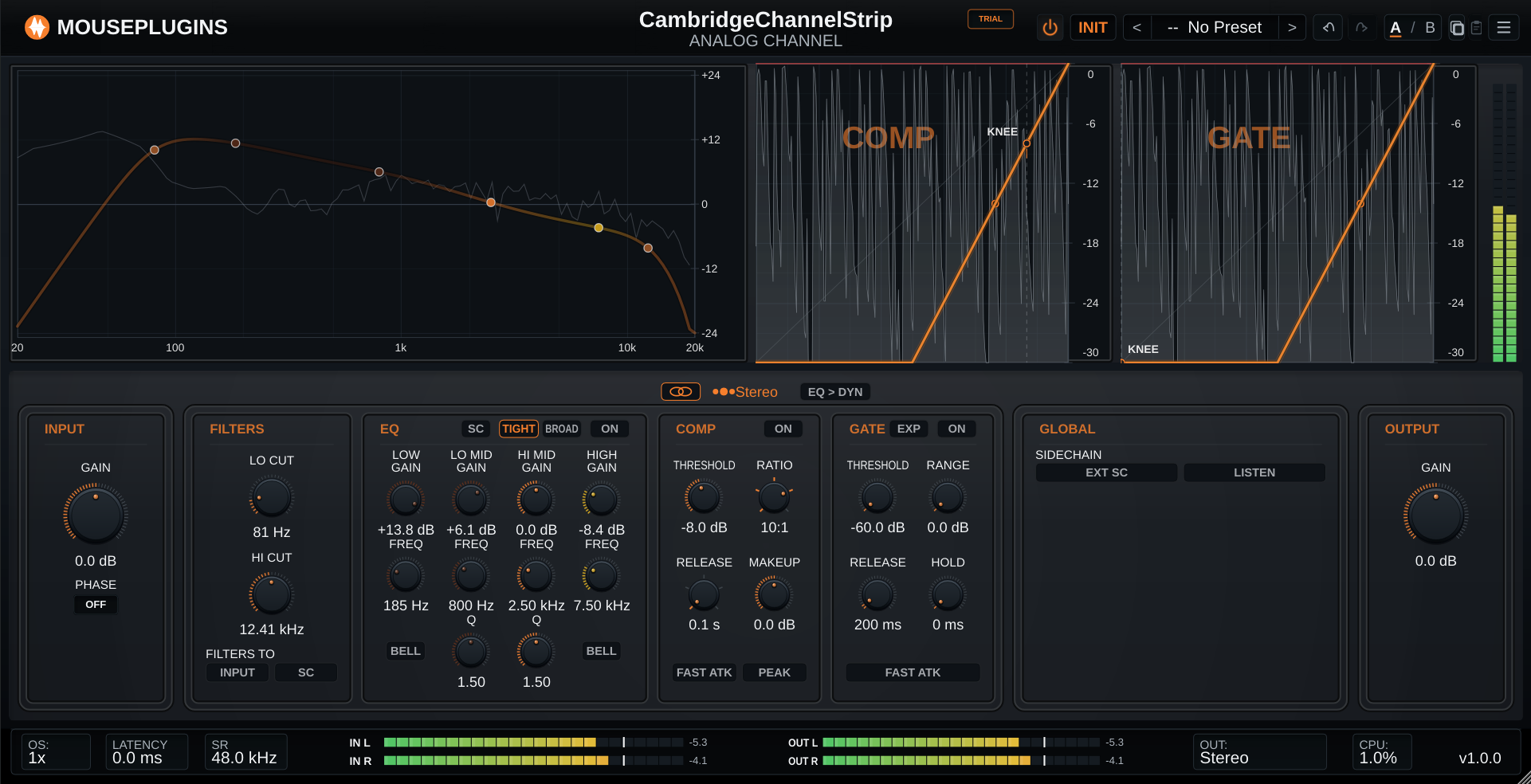
A complete channel strip in console order: input trim and polarity, high- and low-cut filters, a four-band EQ with two voicings, a compressor and a gate/expander. In Left/Right or Mid/Side each lane carries its own full strip.

Formats CLAP VST3
€19.00 v1.0.0
Sign in to leave feedback

Stripe checkout. Cards, PayPal, wallets, and eligible Klarna instalments may be available.

The whole channel, in one strip.

A complete channel-strip workflow for mixing, built around the order engineers already work in.

It is designed to be the plugin you put on every track: fast to set, predictable to reach for, and complete enough that you are not stacking three or four separate plugins to get a vocal or a snare sitting right. The routing choices — where the filters land, what the compressor listens to, whether the dynamics run before or after the EQ — are the parts that normally need external plumbing.

Lifetime bundles
Get Cambridge Channel Strip in a lifetime bundle.

All current and future plugins in that bundle. Updates included for life. Prices rise as more plugins are added.

Next bundle price review: 17 Aug 2026

Learn more

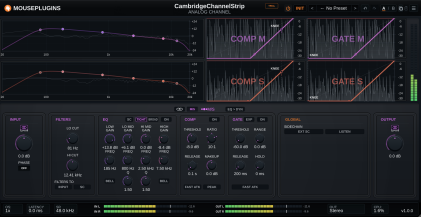
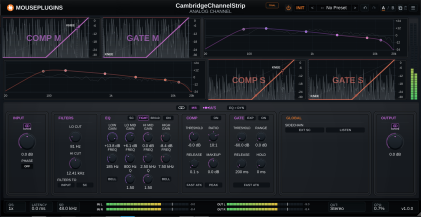
A quick tour

A quick tour
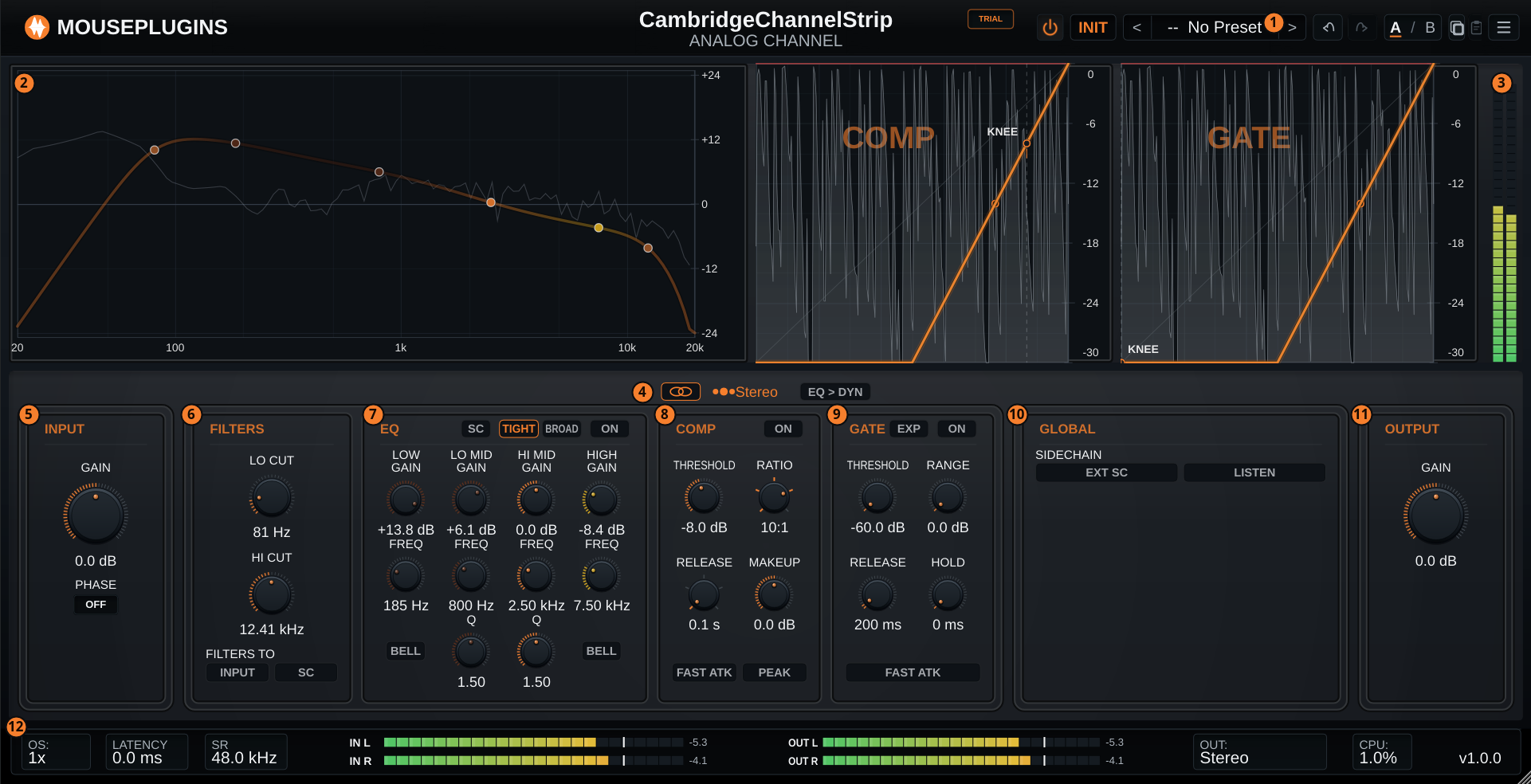
  1. Header - power, preset browser, A/B compare, menu
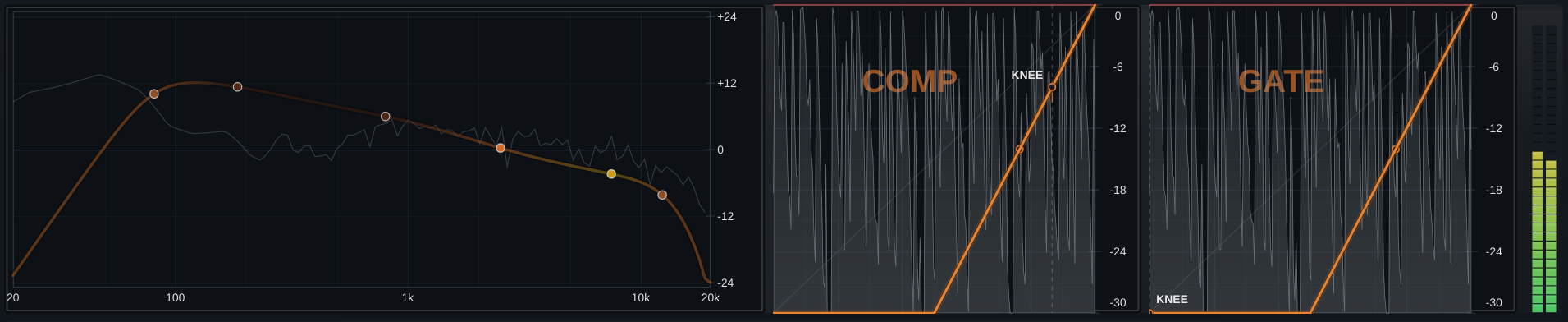
  2. Charts - EQ response, compressor and gate, in signal order
  3. Meter rail - one level meter per lane
  4. Routing band - lane link, M/S, lane select, EQ to DYN order
  5. Input - trim and polarity
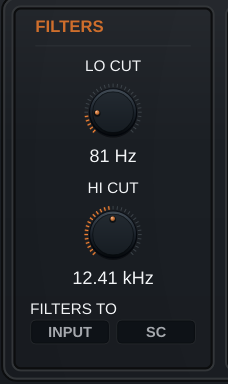
  6. Filters - LO CUT and HI CUT, routable to input or sidechain
  7. EQ - four bands, shelf or bell, TIGHT or BROAD voicing
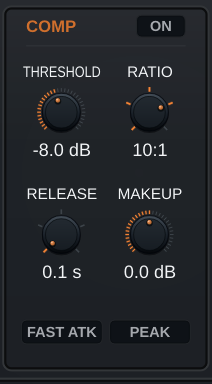
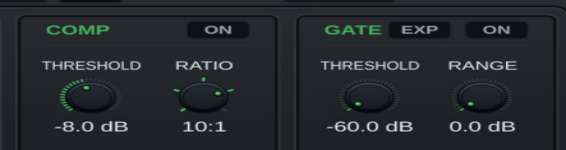
  8. Compressor - threshold, ratio, release, makeup
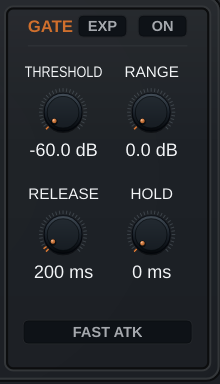
  9. Gate - expander or gate, threshold, range, release, hold
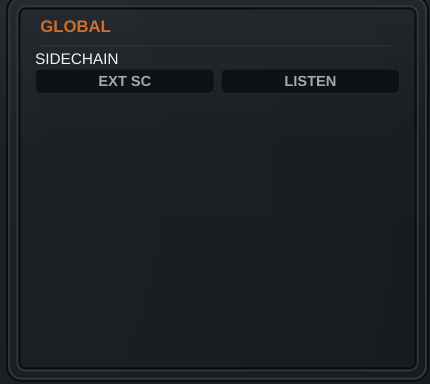
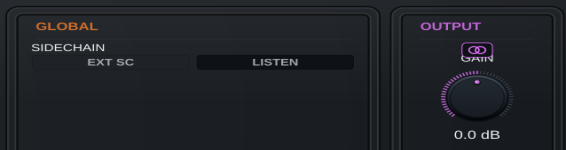
  10. Global - sidechain source and listen
  11. Output - final trim
  12. Footer - sample rate, latency, CPU, meters, output format

Highlights

Two lanes when you need them

Stereo, Left/Right or Mid/Side. Linked mirrors one lane into the other; unlink and each lane gets its own filters, EQ, compressor and gate.

Two voicings, four bands

Low and high switch between shelf and bell, both mids have variable Q, and a TIGHT / BROAD switch changes the character of the whole EQ.

Compressor and gate together

Stepped ratios through to Limiter, release times including Auto, plus an expander or gate sharing threshold, range, release and hold.

Shape what it reacts to

Send the filters or the EQ into the detector without touching the audio, key it from another track, and listen to the detector feed directly.

01
Dual-lane routing

One strip, two lanes

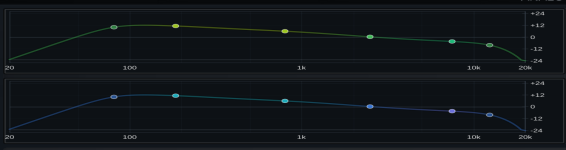
Run the strip in Stereo, Left/Right or Mid/Side. In the two split modes each lane carries a complete, independent channel — its own filters, EQ, compressor and gate — so a stereo track can be treated as two different sources without a second instance.

  • Stereo, Left/Right and Mid/Side processing modes
  • Linked mirrors one lane into the other; unlink to diverge them
  • Edit target selects which lane you are changing
  • The edited lane is colour-coded across the whole strip
  • Click a chart row to select that lane
One strip, two lanes
02
Equaliser

Four bands, two characters

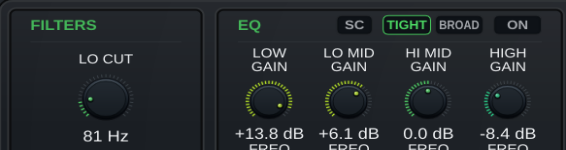
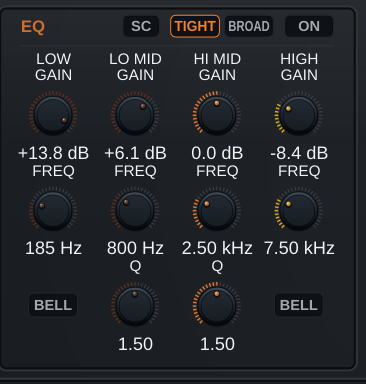
Low and high bands switch between shelf and bell. Both mid bands have variable Q. A TIGHT / BROAD switch changes the voicing of the whole EQ, so the same four bands cover corrective work and broad tone shaping.

  • LOW ±16.5 dB, 40–600 Hz, shelf or bell
  • LO MID ±20 dB, 200 Hz–2 kHz, Q 0.5–2.5
  • HI MID ±20 dB, 600 Hz–7 kHz, Q 0.5–2.5
  • HIGH ±20 dB, 1.5–22 kHz, shelf or bell
  • Drag the nodes directly on the response curve
Four bands, two characters
03
Compression

The ratios you actually reach for

Stepped ratios and stepped release times keep settings repeatable across tracks. Fast attack and peak detection are switches rather than knobs, so the compressor stays quick to set.

  • Ratio: 1, 2, 4, 10 and Limiter
  • Release: 0.1 s, 0.3 s, 0.6 s, 1.2 s and Auto
  • Threshold −30 to +20 dBFS, makeup ±20 dB
  • FAST ATK and PEAK detection switches
  • Live transfer curve and gain-reduction history
The ratios you actually reach for
04
Gate / expander

Expand gently or gate hard

One panel, two behaviours. The expander reduces what sits below the threshold; the gate closes it down. Range sets how far it closes, hold and release set how it lets go.

  • EXP and GATE modes share the same controls
  • Threshold −60 to 0 dBFS, range 0–40 dB
  • Release 0.05–4 s, hold 0–4 s
  • FAST ATK for percussive material
  • Its own transfer curve on the chart
Expand gently or gate hard
05
Filters

Cuts where you want them

High-pass and low-pass with their off positions built into the sweep — no extra in/out buttons to hunt for. Each can feed the audio path, the detector, or both.

  • LO CUT 16–500 Hz, off fully anticlockwise
  • HI CUT 3–22 kHz, off fully clockwise
  • Route to INPUT, to the sidechain, or both
  • Filtering the detector leaves the audio untouched
Cuts where you want them
06
Sidechain

Control what the dynamics hear

The classic fix for a compressor pumping on low end, plus proper external keying. Tap the filters and the EQ into the detector independently of the audio path, and monitor the key while you set it.

  • Internal or external key source
  • Filters to sidechain — stop low end driving the compressor
  • EQ to sidechain — make it react to a frequency range
  • LISTEN monitors the detector feed
  • Sidechain settings are plugin-wide, not per lane
Control what the dynamics hear
07
Signal order

Dynamics before or after the EQ

EQ-then-compress and compress-then-EQ are different sounds. One toggle moves the dynamics block, per lane, and the panels and charts reorder so the display always matches the chain.

  • EQ → DYN toggle in the routing band
  • Control panels reorder to match
  • Chart parts reorder to match
  • Set independently per lane
Dynamics before or after the EQ
08
Metering

See the whole channel at once

One chart surface carries the EQ curve, the compressor and the gate, in the order they actually run. In split modes each lane gets its own row, with a shared level rail alongside.

  • EQ response, compressor and gate curves together
  • Per-lane chart rows in Left/Right and Mid/Side
  • Live gain-reduction and level history
  • Footer: sample rate, latency, CPU, input and output peaks
  • Output format read-out — mono or stereo
See the whole channel at once
09
Workflow

Presets, A/B and state

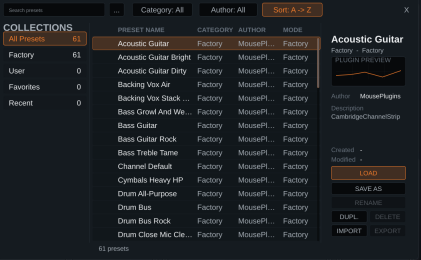
61 factory presets named after the source rather than the effect, so the list reads like a track sheet. Your own presets live alongside them on disk.

  • 61 factory presets — kick, snare, toms, overheads, bass, guitars, vocals, drum bus, room
  • User presets on disk, with rename, duplicate and delete
  • Import and export presets as files
  • A/B compare two complete states
  • All 80 parameters automatable and saved with the project
Presets, A/B and state
Overview
Plugin type Channel strip — filters, four-band EQ, compressor, gate/expander
Channel modes Stereo, Left/Right, Mid/Side
Lane linking Linked or fully independent per lane
Use cases Vocals, drums, bass, guitars, drum bus, stereo mix
Host-reported latency 0 samples
Processing
Filters LO CUT 16–500 Hz, HI CUT 3–22 kHz, off positions built into the sweep
EQ Four bands; LOW/HIGH shelf or bell; LO MID and HI MID with Q 0.5–2.5; TIGHT / BROAD voicing
Compressor Ratio 1 / 2 / 4 / 10 / Limiter; release 0.1 / 0.3 / 0.6 / 1.2 s / Auto; FAST ATK; PEAK
Gate Expander or gate; threshold −60…0 dBFS; range 0–40 dB; release 0.05–4 s; hold 0–4 s
Sidechain Internal or external key; filters and EQ tappable to the detector; LISTEN
Signal order Dynamics before or after the EQ, per lane
Oversampling None — runs at host sample rate
Host & system
Formats VST3, CLAP
Operating system Windows 10+ 64-bit · Linux 64-bit, glibc 2.35+ (Ubuntu 22.04+, Debian 12+, Fedora 36+) · macOS not supported
Channel layout Mono or stereo in/out, with an optional stereo sidechain input
Sample rates 44.1 / 48 / 88.2 / 96 / 176.4 / 192 kHz
Parameters 80, all automatable and saved with the project
Factory presets 61
Per-track shaping. It puts filters, a four-band EQ, a compressor and a gate or expander in one instance, in the order you would find them on a console, so you are not stacking several plugins on every channel.
Yes. Each processing section can be used independently. The EQ, compressor and gate/expander can be switched in or out, while the filters have their off positions built into the frequency controls.
Stereo links the two lanes so one set of controls applies to the whole track. Left/Right and Mid/Side give each lane its own complete strip — its own filters, EQ, compressor and gate — which you can set independently.
No. Mid/Side is a processing mode, not a widener. There is no width control. It lets you process the mid and side signals differently, which can change perceived width as a result of what you do — but the plugin does not widen anything on its own.
No. There is no auto-gain and no automatic makeup. The Auto release setting is an explicit release choice you make on the compressor, not an automatic mode that decides things for you.
The gate ships inert on purpose — threshold at −60 dBFS and range at 0 dB, so it passes everything. Raise the threshold until it interacts with the quiet parts of the signal, then set the range for how far it should close.
Route the filters to the sidechain. This lets you reduce the low-frequency energy reaching the detector while leaving the audio path untouched, which can prevent kicks and bass from driving unwanted compression.
Yes. Set the sidechain source to external and feed the key input from the other track. LISTEN lets you monitor the key while you dial it in.
Yes — the EQ → DYN toggle moves the dynamics block, and it can be set independently per lane. The control panels and the charts both reorder so the display always matches the actual chain.
Cambridge Channel Strip reports 0 samples of plugin latency to the host. The footer shows the current reported value live while it runs.
No. The engine runs at the host sample rate. The 1× shown in the footer is a fixed indicator of that, not a selector.
VST3 and CLAP, on Windows 10 or newer (64-bit) and 64-bit Linux with glibc 2.35 or newer. macOS is not supported.
Check your glibc version with 'ldd --version'. The Linux build requires glibc 2.35 or newer; Ubuntu 20.04 and Debian 11 ship 2.31 and cannot load it.
61 factory presets, named by source rather than by effect — kick, snare, toms, overheads, bass, guitars, vocals, drum bus and room. You can save your own alongside them.
Yes. All 80 parameters are host-visible, automatable and saved with the project, including the full second-lane set used in Left/Right and Mid/Side.
The demo is fully functional - every control is active, every preset loads, and there is no time limit. The only limitation is a 2-second silence interruption every 60 seconds, which is also printed into renders and exports. No account is required to download it.
No. Enter your licence key once and the plugin keeps working without an internet connection. Licence validation is local; there is no telemetry or phone-home.
Yes. Buy once and updates are included - there is no paid upgrade path. If a product ever changes enough to be a different plugin, it is released as a separate product rather than a chargeable upgrade.
Yes, with no limit. There is no machine count, no activation cap and no technical restriction on how many of your systems you install it on.
Compatible with 64-bit hosts that support VST3 or CLAP. It is a mono/stereo effect with an optional stereo sidechain input, so it can be used on a normal channel or bus.
No. Cambridge Channel Strip processes mono or stereo, with an optional stereo sidechain input. Multichannel layouts are not supported.
What's Included
Cambridge Channel Strip box
  • Cambridge Channel Strip Plugin
  • Quick Start
  • Full User Manual
  • Factory presets
Supported Formats
CLAPVST3
System Requirements
Windows: 10 or later
Linux x64: glibc 2.35+
  • Ubuntu 22.04+
  • Debian 12+
  • Linux Mint 21+
  • Fedora 36+
  • Arch / Manjaro / EndeavourOS / Garuda
  • openSUSE Tumbleweed
  • Pop!_OS 22.04+
CPU: x86-64 processor
Host: 64-bit VST3 or CLAP-compatible DAW
Free updates Included for Cambridge Channel Strip
Secure payments Stripe, PayPal, wallets, Klarna when eligible
Human support Real replies when something breaks

Pairs well with

Beta program

Break our plugins for fun

Test pre-release builds and help shape what ships next.

Join the beta →
What testers get
  • Private pre-release builds when a beta is active.
  • A direct path to report DAW, install, licensing, and sound issues.
  • Early influence on compatibility priorities and release readiness.
  • Provide suggestions on future development and roadmap.
  • Request specific plugins.
Cart
Cart empty
Browse Plugins