70% off sitewide until May 31st 2026, 23:59 UTC. Shop now →
MousePlugins

Hysteresis Shaper

Multiband
We remember what you did last mix.

Magnetic hysteresis saturation. Stateful and history-dependent, with four quality modes and 0 samples latency in Live.

Formats CLAP VST3
€14.70 v1.2.0
Sign in to leave feedback

Stripe checkout. Cards, PayPal, wallets, and eligible Klarna instalments may be available.

Magnetic saturation that remembers.

Many saturation designs apply a transfer curve: a static function that maps input to output the same way every time. Hysteresis Shaper uses a stateful magnetic model inspired by classical magnetic hysteresis behaviour. The output depends on the current input and on where the magnetisation state was a moment ago.

That history-dependence is what makes magnetic saturation behave differently from tube-style saturation or digital clipping. When you drive into it gently, transients soften and subtle cohesion builds. Push harder and the hysteresis loop opens wider: harmonics build, the ceiling compresses, and the saturation character changes depending on what happened in the previous samples.

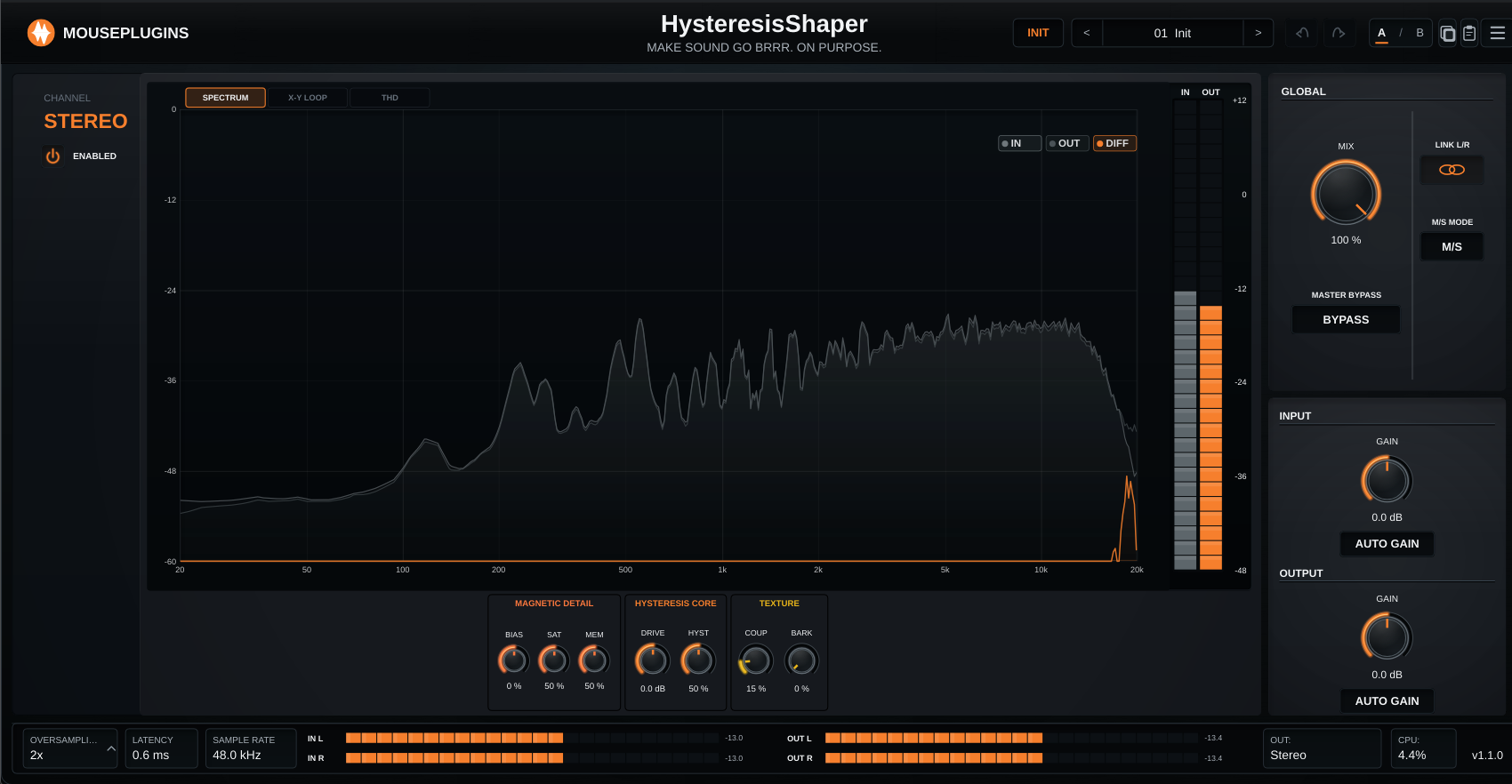
Five core controls shape the magnetic behaviour. Drive sets the input level into the model. Hysteresis controls the width of the loop — wider means more harmonics and more history-dependence. Saturation sets the magnetic ceiling. Memory controls how much influence the previous state has on the current output. Bias shifts the DC offset for asymmetric harmonic character.

Two advanced controls add texture. Coupling introduces inter-sample interaction: a subtle complexity based on neighbouring magnetic-state interaction inside the model. Barkhausen adds controlled stochastic grain inspired by Barkhausen-style magnetic domain jumps.

Four quality modes: Live (1×, 0 samples reported latency, RK2 integrator), Design (2×, RK2), Mix (4×, RK4), and Master (8×, RK4). Higher modes push aliasing further above the audible band, while Mix and Master use the higher-order RK4 integrator. Live is for tracking, Master is for final renders.

Hysteresis Shaper is offline-first. No internet connection required for activation or use. The plugin sends no telemetry, performs no phone-home checks, and does not require an online account inside the DAW.
  • Low-Drive Cohesion
  • Magnetic Colour
  • Magnetic Crunch
Magnetic saturation that remembers.

Magnetic hysteresis saturation. Stateful and history-dependent, with four quality modes and 0 samples latency in Live.

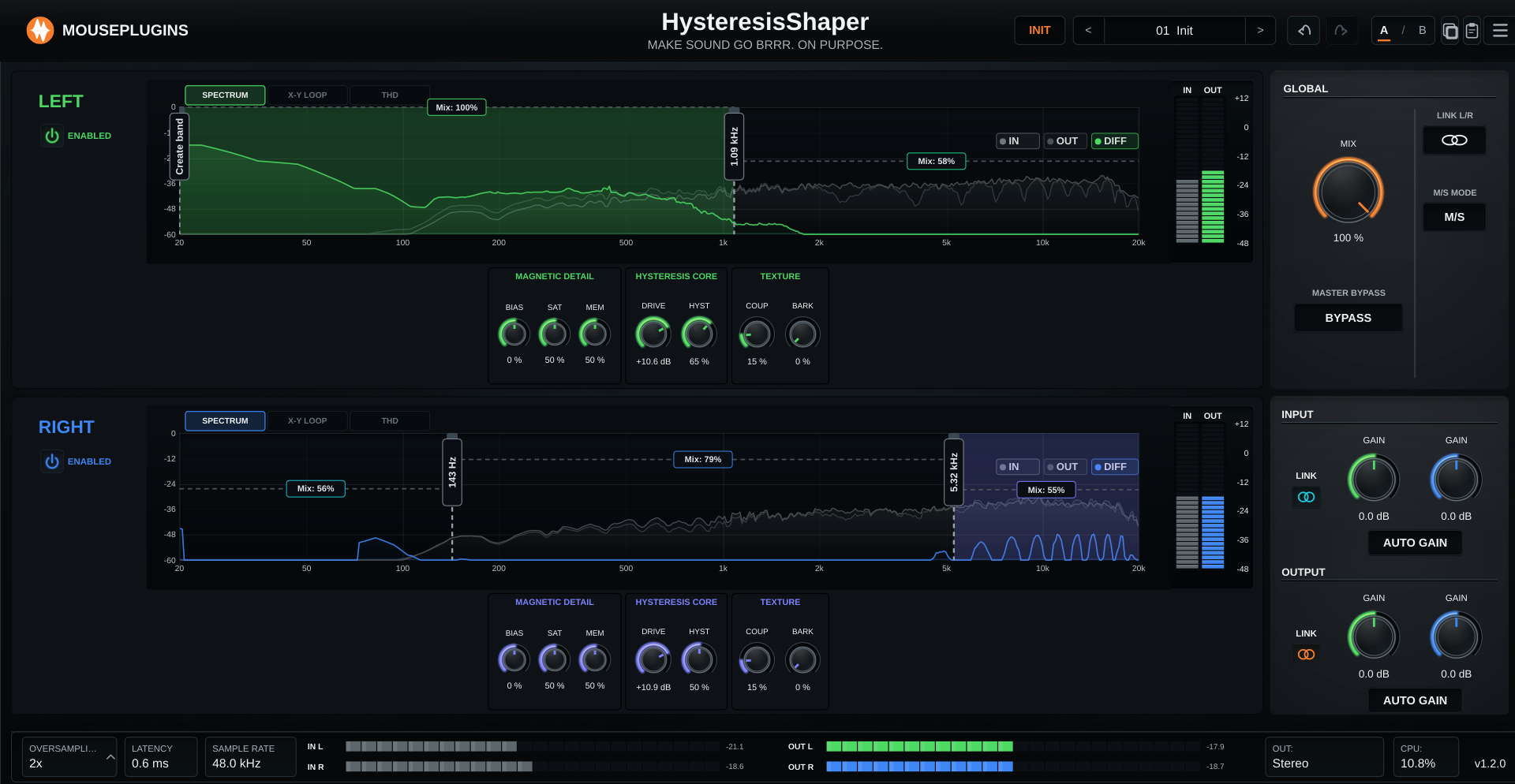
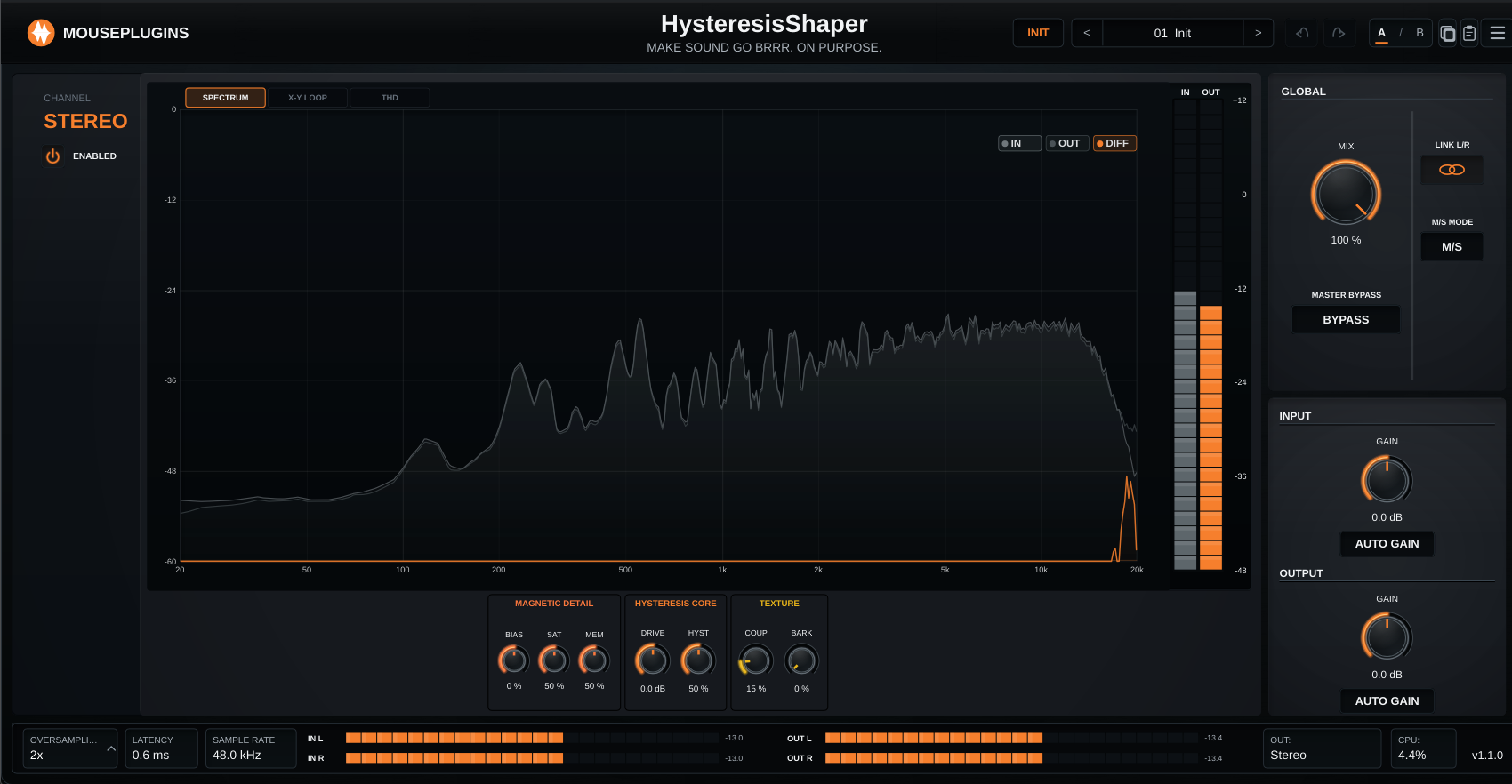
Hysteresis Shaper UI
Low-Drive Cohesion

Drive at 0 dB or below. The hysteresis loop barely opens: soft transient rounding and subtle cohesion for bus use.

Magnetic Colour

Drive at +6 to +12 dB. Harmonics become audible, the loop widens, and the saturation character asserts itself. Good for drums and bass.

Magnetic Crunch

Drive above +12 dB. Heavy saturation with Barkhausen grain. Blend back with Mix at 10–30% for parallel texture without destruction.

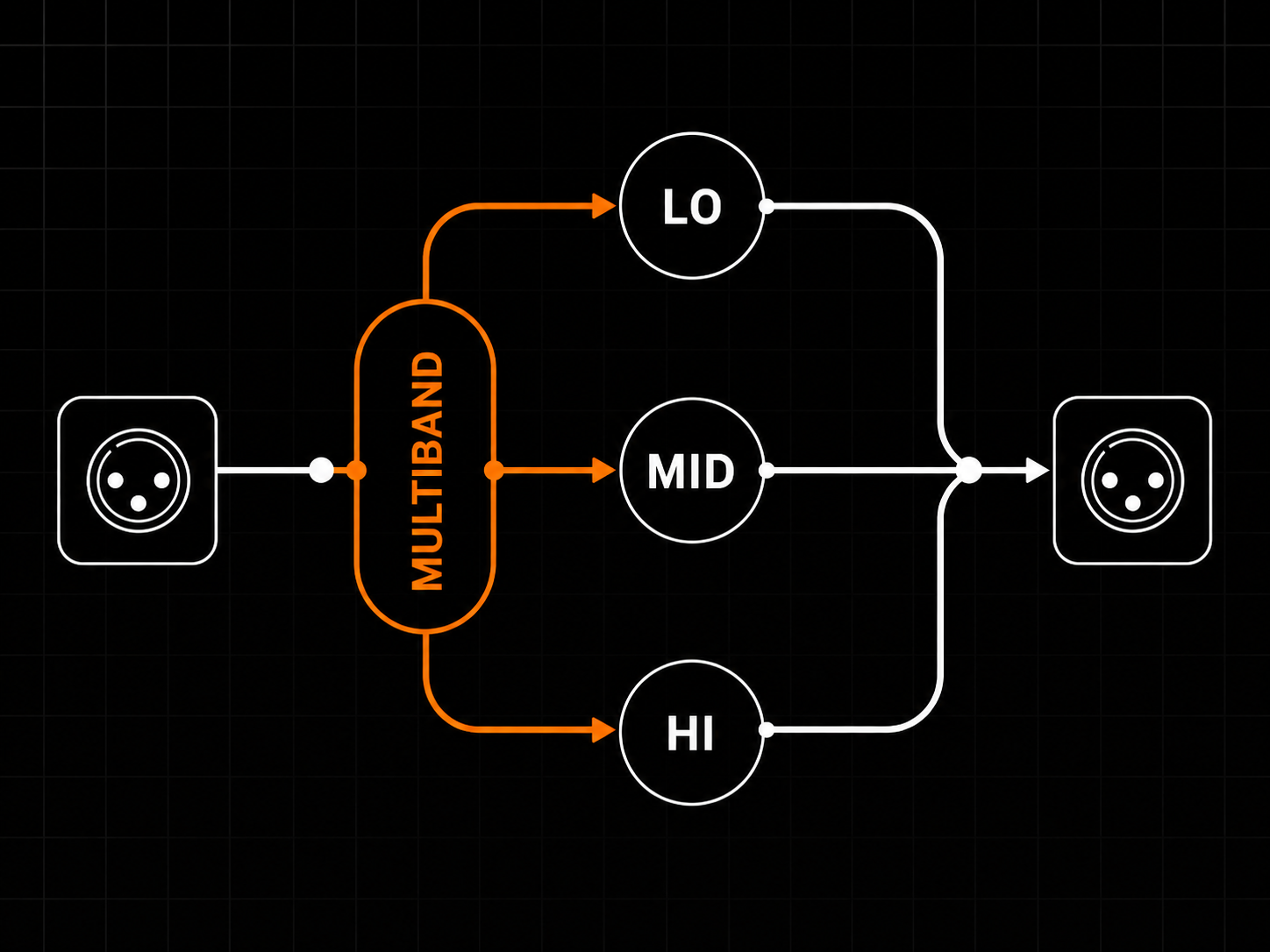
Three bands. Two crossovers. One workflow.

Set the crossovers on the chart. Adjust per-band Mix in the same view.

Hysteresis Shaper can split the signal into low, mid, and high bands, so the low end, body, and top end do not all need the same amount of hysteresis processing. Drag the two crossover handles on the spectrum to set the band ranges, then use the per-band Mix markers to decide how much processed signal each band keeps.

In Mid/Side mode, each lane gets its own crossover layout. You can drive the mid-band mids harder while keeping the side-band lows cleaner, or build the opposite shape, without pretending one global setting is enough for the whole stereo field. Civilization advances by millimeters.

The default setup keeps the familiar single-band workflow intact: crossovers at the extremes, band Mix at 100%, and no multiband setup required unless you want it.

Three bands. Two crossovers. One workflow.
01
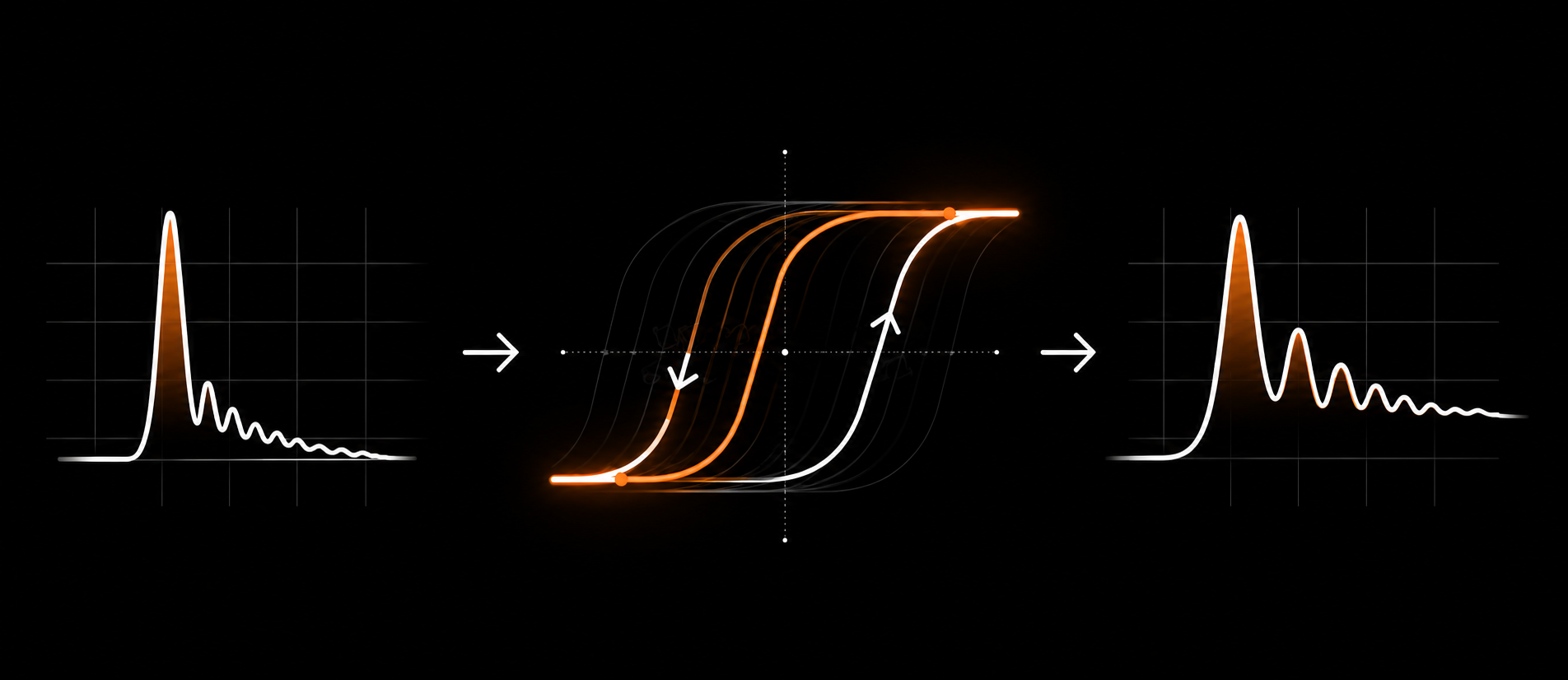
HYSTERESIS, NOT WAVESHAPING

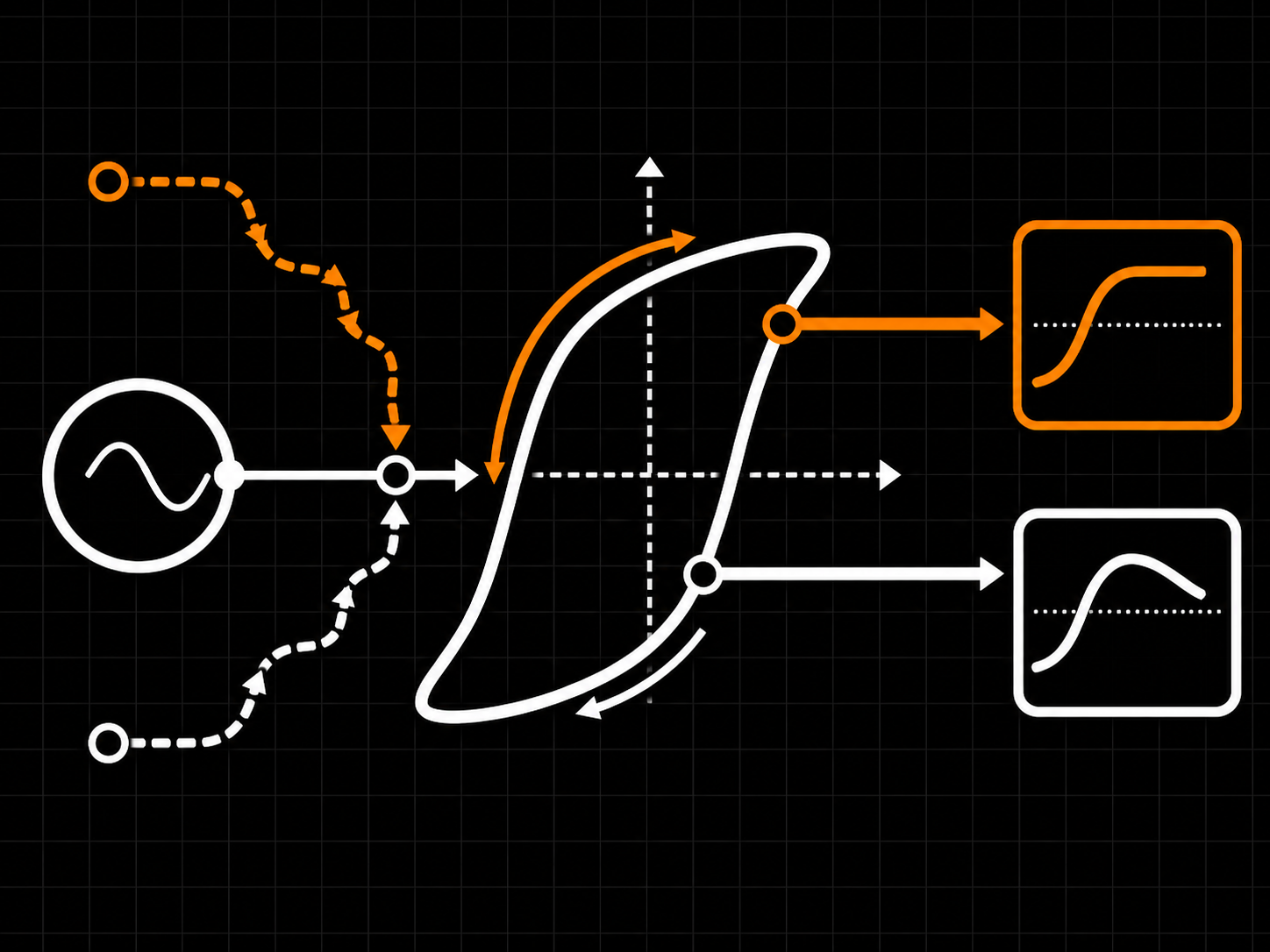
Stateful, history-dependent saturation

HysteresisShaper is not a simple waveshaper. Its output depends on where the signal has just been, not only where it is now. The same input sample can produce a different result depending on the recent signal history, giving you looped, magnetic saturation with real memory and movement.

Stateful, history-dependent saturation
02
THE MAGNETIC CHAIN

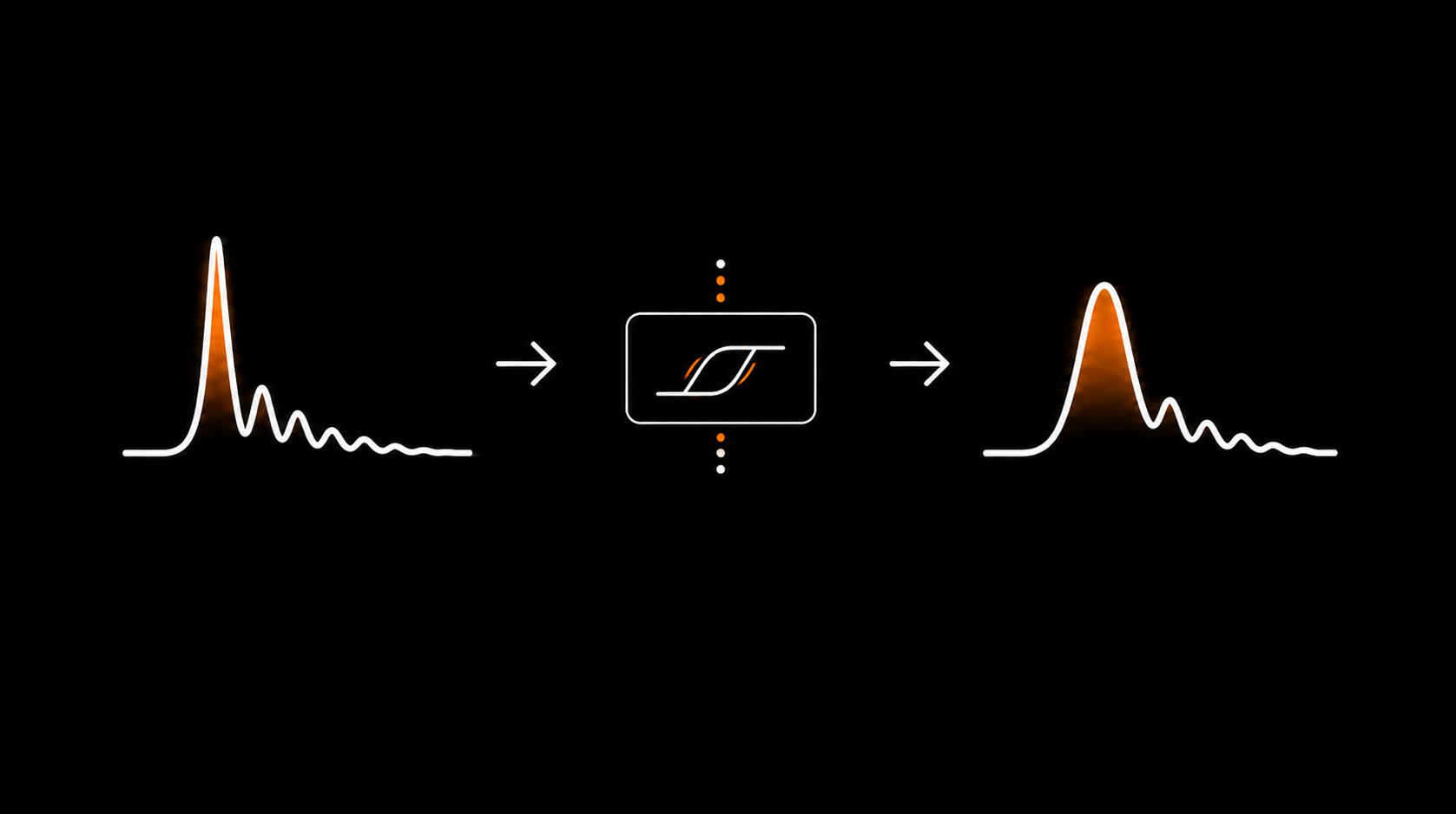
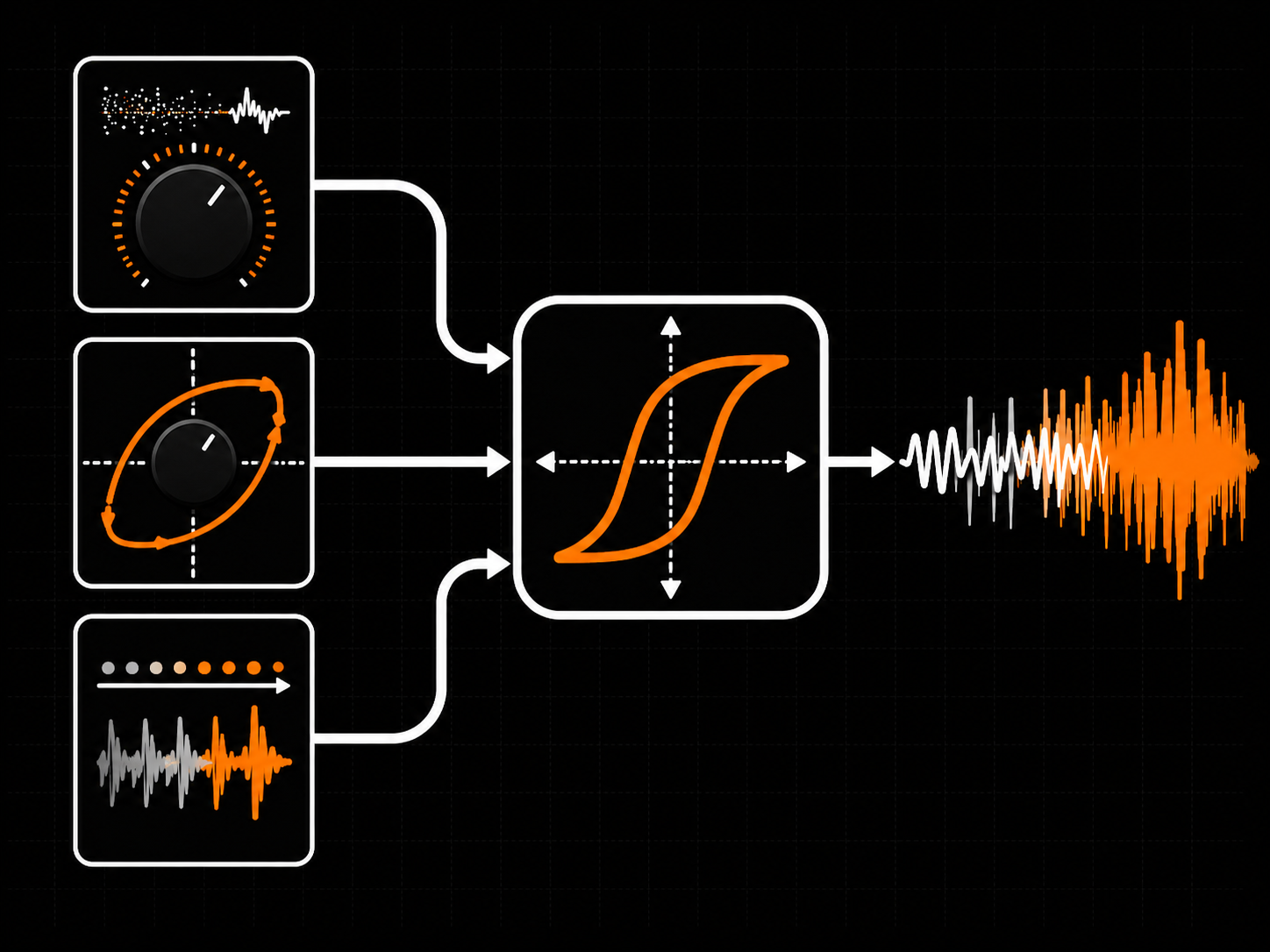
Detail, Core, Texture

Three controls shape the magnetic response. Magnetic Detail adds Barkhausen-style grain, Hysteresis Core controls loop width and bias behaviour, and Texture adjusts how strongly the past pulls on the present. Together they move the sound from controlled magnetic colour to denser, more unstable saturation.

Detail, Core, Texture
03
LIVE HYSTERESIS LOOP

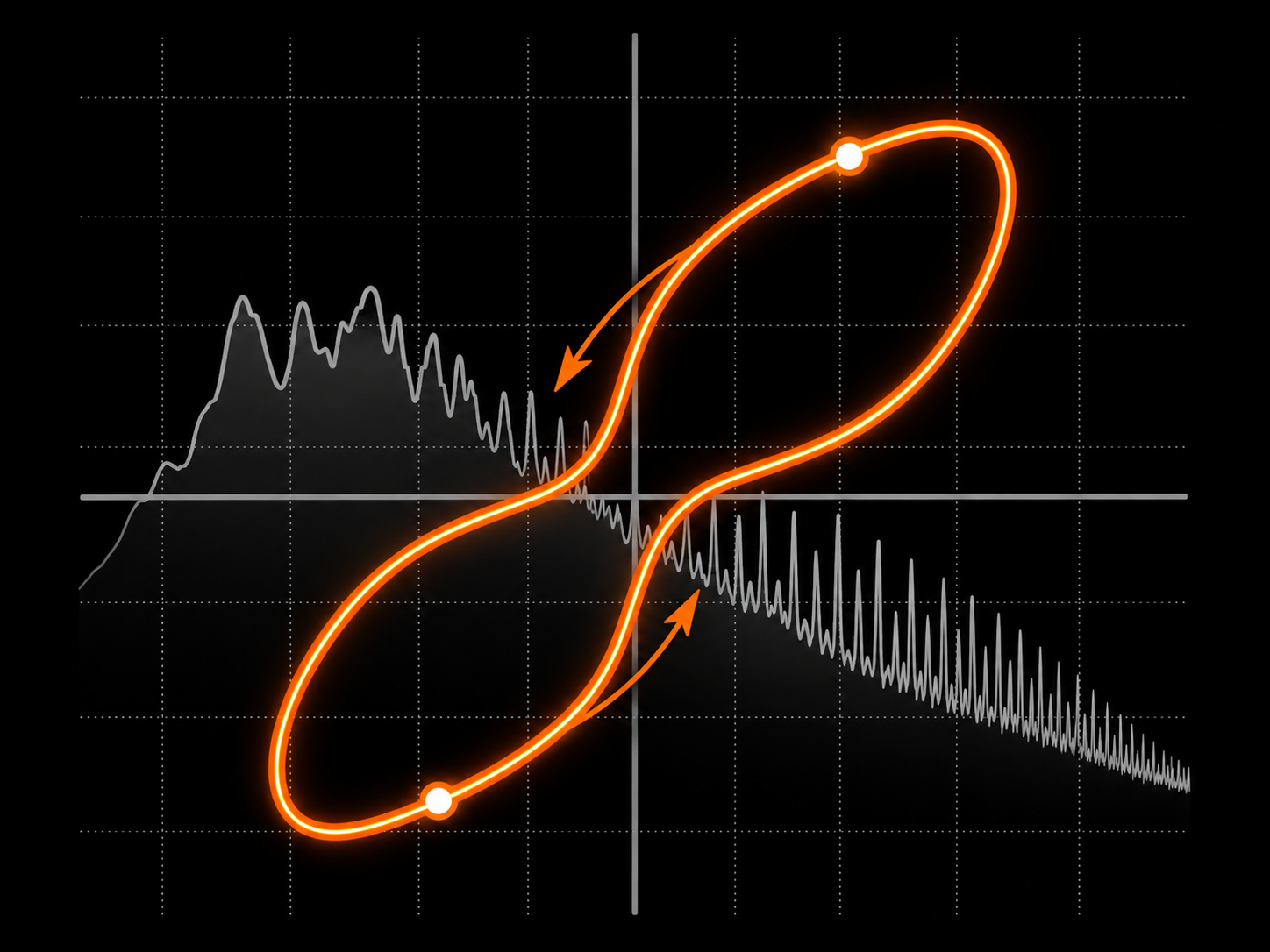
Watch the loop, hear the shape

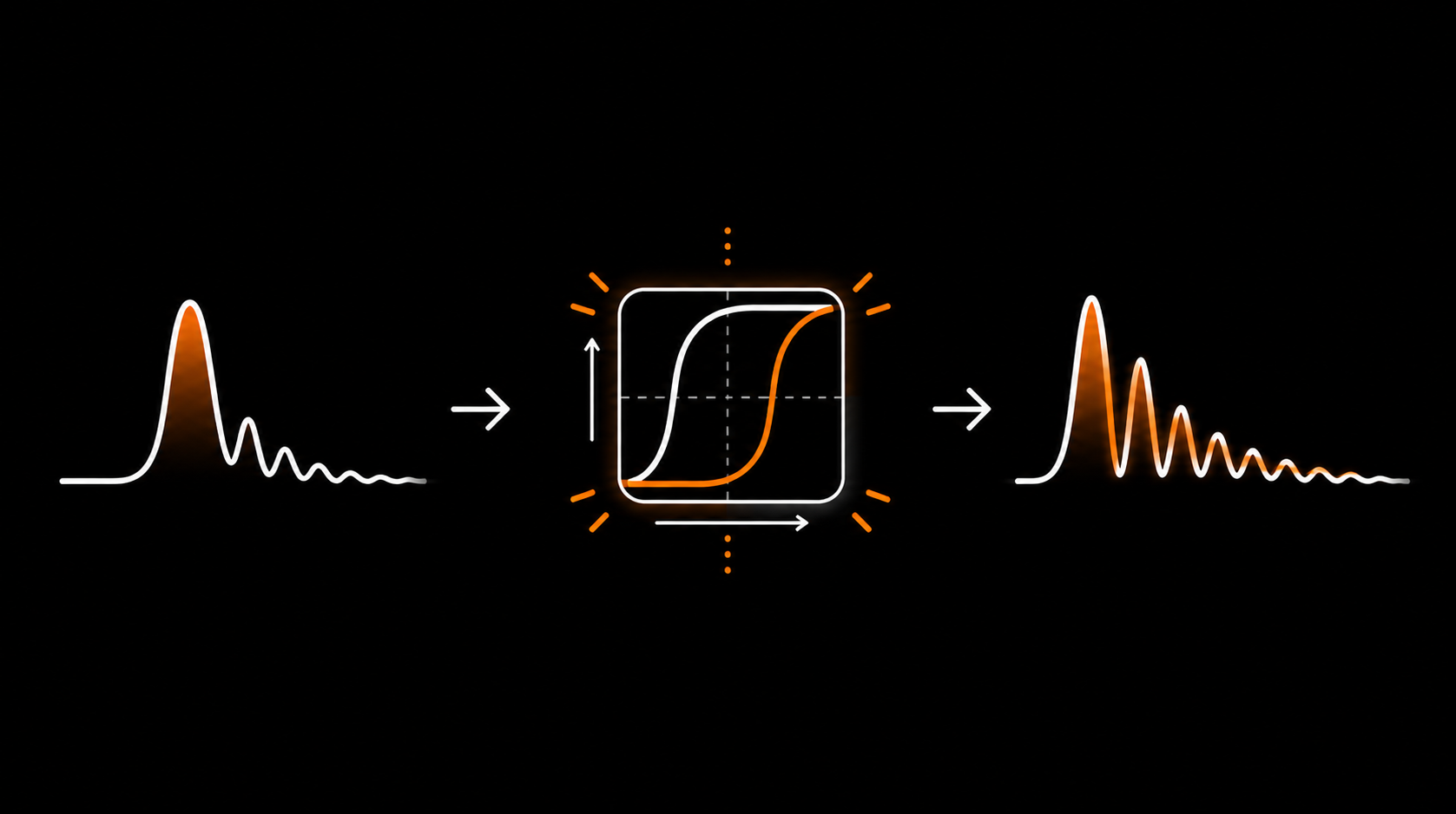
A real-time hysteresis loop display shows the response per lane, with the spectrum behind it. Wider loops add density and memory; asymmetric loops skew the harmonic balance. Move the controls and watch the magnetic curve change with the sound.

Watch the loop, hear the shape
04
ROUTING IN ONE CLICK

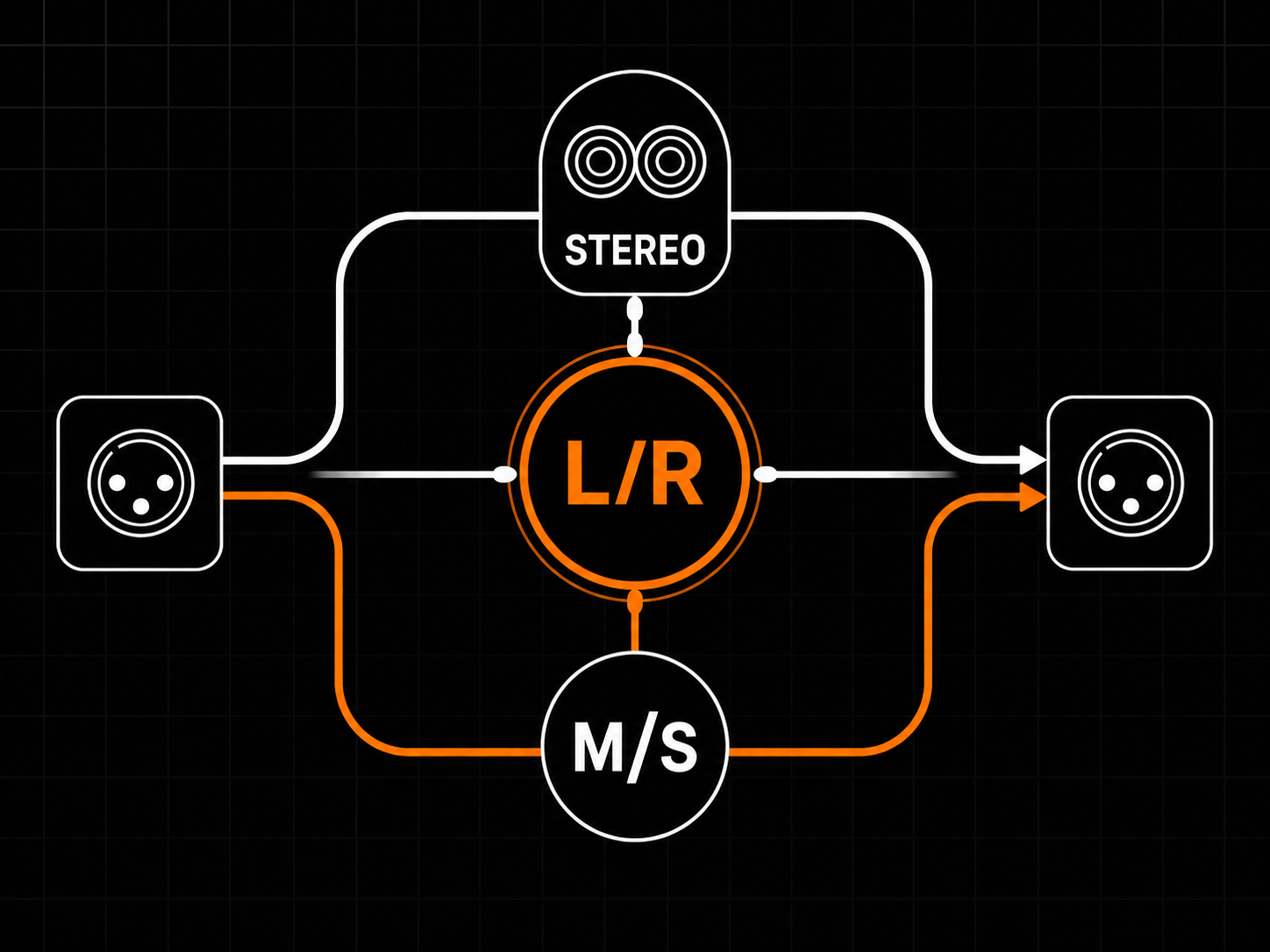
Stereo, L/R, or M/S

Switch between Stereo, Left/Right, and Mid/Side operation from one control. Internal Mid/Side encode/decode and Lane Link let you move quickly between classic stereo colour, independent dual-lane saturation, and width-aware tone shaping.

Stereo, L/R, or M/S
05
MULTIBAND SATURATION

Saturate per band, not per signal

Two Linkwitz–Riley 4th-order crossovers split the input into low, mid, and high bands, each with its own hysteresis stage. Per-band wet/dry Mix sets how much processed signal each band keeps, so the low end, body, and top end do not all need the same amount of saturation. The crossover points are per-lane. In Mid/Side mode, the low–mid crossover can sit at 120 Hz for the Mid lane and 80 Hz for the Side lane, letting the center and sides use different band layouts instead of forcing one crossover setting across the whole stereo image. The crossover path is designed for coherent reconstruction of the multiband wet signal. With all band Mix controls at 100%, the output is the recombined low, mid, and high wet bands, without an extra broadband mix stage on top.

Saturate per band, not per signal
Overview
Plugin type Two-lane hysteresis saturation with history-dependent magnetic character
Use cases Drum / bass / vocal magnetic colour, tape-ish magnetic saturation, mix-bus density, parallel saturation
Channel modes Stereo, Left/Right, Mid/Side
Lane linking Linked Stereo collapses to a single full-height lane; independent L/R or M/S processes each lane separately
Reported latency 0 samples at Live/1x; higher fixed, host-compensated latency in oversampled modes
Processing
Signal path Input stage, Magnetic Detail, Hysteresis Core, Texture, ceiling shaper, parallel mix, output stage
Hysteresis model Wide hysteresis loop with asymmetric bias and history-dependent memory
Magnetic detail Coupling and Barkhausen-style magnetic grain
Texture Adjustable past-influences-present memory
Oversampling 1x, 2x, 4x, 8x
Quality modes Live 1x / Design 2x / Mix 4x / Master 8x
Internal processing Stateful magnetic model with oversampling up to 8x
Controls
Magnetic Detail Coupling and Barkhausen grain amount
Hysteresis Core Loop width and asymmetric bias
Texture Memory / past-influences-present amount
Drive Saturation drive
Bias DC bias / asymmetry
Ceiling Shape of the ceiling saturation
Mix Parallel dry/wet blend
Channel Mode Stereo / Left-Right / Mid-Side
Lane Link Linked / Unlinked
Input / Output Gain staging with optional Auto Gain
Auto Gain Input and output gain staging helpers calibrated around 0 VU / -18 dBFS RMS
Master Bypass Global
Knob reset Double-click any knob
Metering
Input meters Per active lane, peak + RMS
Output meters Per active lane, peak + RMS
Hysteresis loop Live loop visualization per lane
Spectrum view Real-time spectrum behind the loop
Footer readout Quality, latency, sample rate, CPU, version
Formats
Plugin formats VST3, CLAP
Sample rates 44.1, 48, 88.2, 96, 176.4, 192 kHz
Channel layout Mono in / mono out, or stereo in / stereo out
Automation All main controls exposed to host automation
Preset format Single-file .hyspreset XML
System Compatibility
Windows 10 / 11 (64-bit)
Linux x64 glibc 2.35+
Tested / recommended Ubuntu 22.04+, Debian 12+, Mint 21+, Fedora 36+, Pop!_OS 22.04+
Rolling distros Arch / Manjaro / EndeavourOS / Garuda, openSUSE Tumbleweed
macOS Not currently shipped
CPU x86_64 with SSE2
RAM Negligible (DSP-only)
Internet Not required for activation
Licensing
License model Offline, machine-based
Activation Local license file
Machines Unlimited (personal use)
Resale Not transferable
Ownership Perpetual license, free updates included
Installation
Windows VST3 C:\Program Files\Common Files\VST3\
Windows CLAP C:\Program Files\Common Files\CLAP\
Linux VST3 ~/.vst3/ or /usr/local/lib/vst3/
Linux CLAP ~/.clap/ or /usr/local/lib/clap/
Components VST3 + CLAP for Windows and Linux
Authorization Local license file, no internet check
Most saturation applies a static curve: the same input produces the same output. Hysteresis is history-dependent: the output depends on the input and on the previous magnetic state. That state-aware behaviour is what makes magnetic saturation feel different from tubes, clipping, or ordinary waveshaping.
Memory controls how much influence the previous magnetic state has on the current output. Higher values make the saturation more history-dependent: transients round off more and the tone reacts more to what came before. Lower values make the response more immediate.
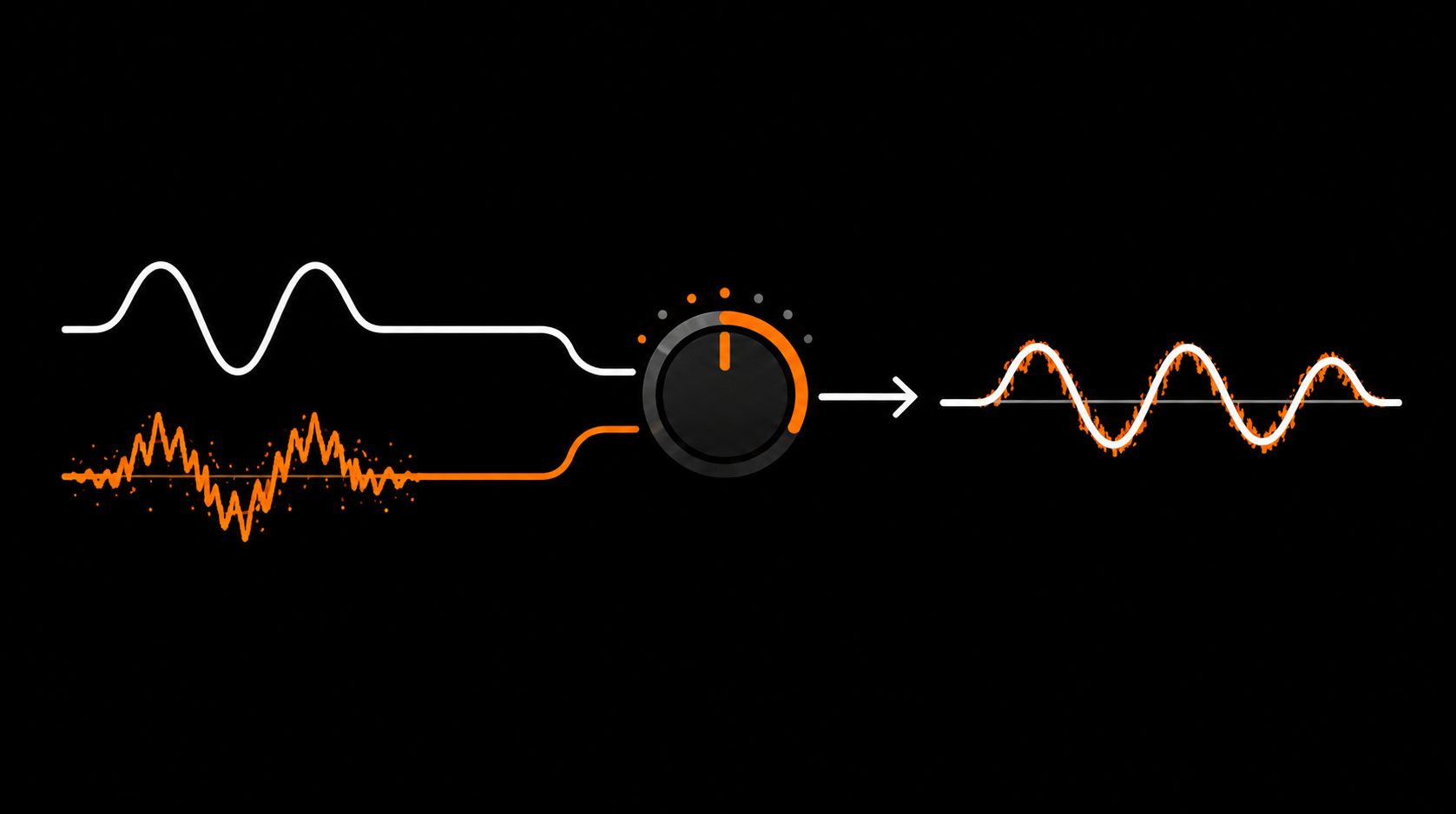
When magnetic domains in real magnetic material change state, the movement is not entirely smooth. Those tiny jumps can produce stochastic crackling known as Barkhausen noise. The Barkhausen control adds a controlled magnetic-grain layer for extra texture.
Live (1x) is the lightest mode for tracking and reports 0 samples latency. Design (2x) and Mix (4x) add oversampling to push aliasing further above the audible band, with Mix using the higher-order RK4 integrator. Master (8x) is the highest-quality mode for final renders. Higher modes cost more CPU and may add host-compensated latency.
No. Live (1x) runs at the native sample rate with no lookahead and reports 0 samples latency. Oversampled modes may introduce fixed, host-compensated latency from the oversampling filters.
Coupling represents interaction between neighbouring magnetic states inside the model. It adds subtle inter-sample behaviour that increases harmonic complexity without radically changing the character. Default is 20%.
The X-Y Loop displays the hysteresis loop: input vs. output as a 2D trace. A wider loop usually means more history-dependence and stronger harmonic behaviour. It is the visual signature of the saturation process.
The demo is fully functional: every control is active and there is no time limit. A 0.5-second noise burst plays every 60 seconds and will be printed in renders. No account is required to download it.
What's Included
Hysteresis Shaper box
  • Hysteresis Shaper Plugin
  • Quick Start
  • Full User Manual
  • Factory presets
Supported Formats
CLAPVST3
System Requirements
Windows: 10 or later
Linux x64: glibc 2.35+
  • Ubuntu 22.04+
  • Debian 12+
  • Linux Mint 21+
  • Fedora 36+
  • Arch / Manjaro / EndeavourOS / Garuda
  • openSUSE Tumbleweed
  • Pop!_OS 22.04+
CPU: Any 64-bit x86
Host: 64-bit VST3 or CLAP-compatible DAW
Free updates Included for Hysteresis Shaper 1.x
Secure payments Stripe, PayPal, wallets, Klarna when eligible
Human support Real replies when something breaks
Cart
Cart empty
Browse Plugins