MousePlugins

Cambridge Bus Compressor

Three-band bus compression with two independent lanes and guided GR Intelligence
FREE
Classic bus glue.

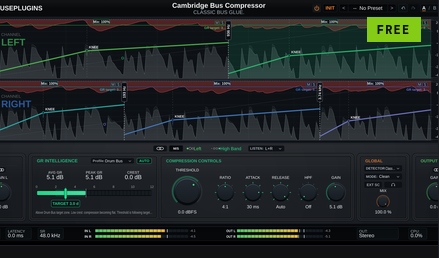
Three-band, dual-lane bus compressor with guided GR Intelligence, an audio-clocked Auto GR servo, and per-band parallel mix. Free.

Formats CLAP VST3
Free v1.0.0
Sign in to leave feedback

Classic bus glue.

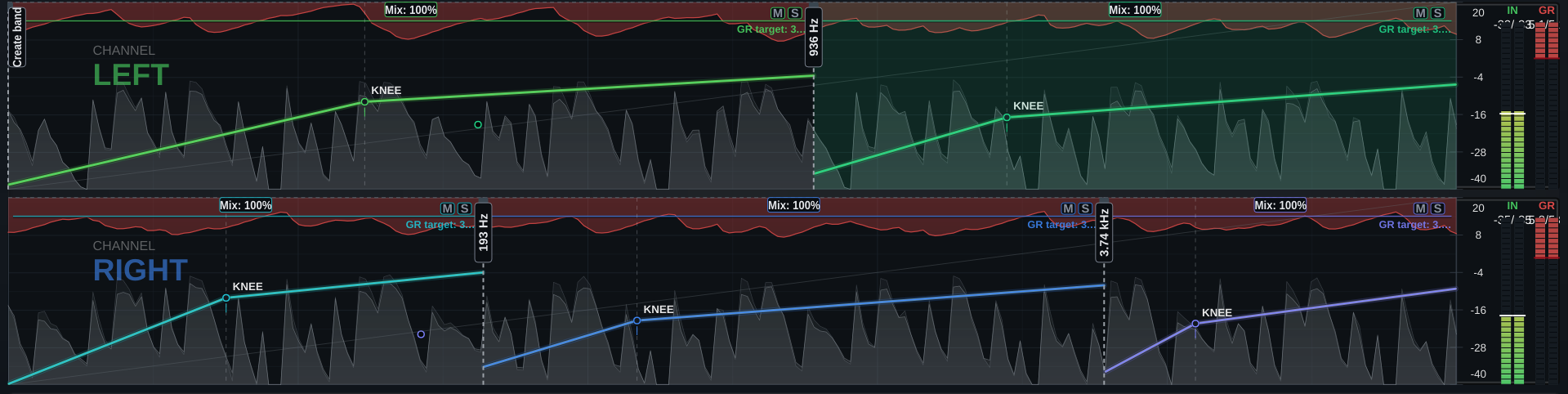
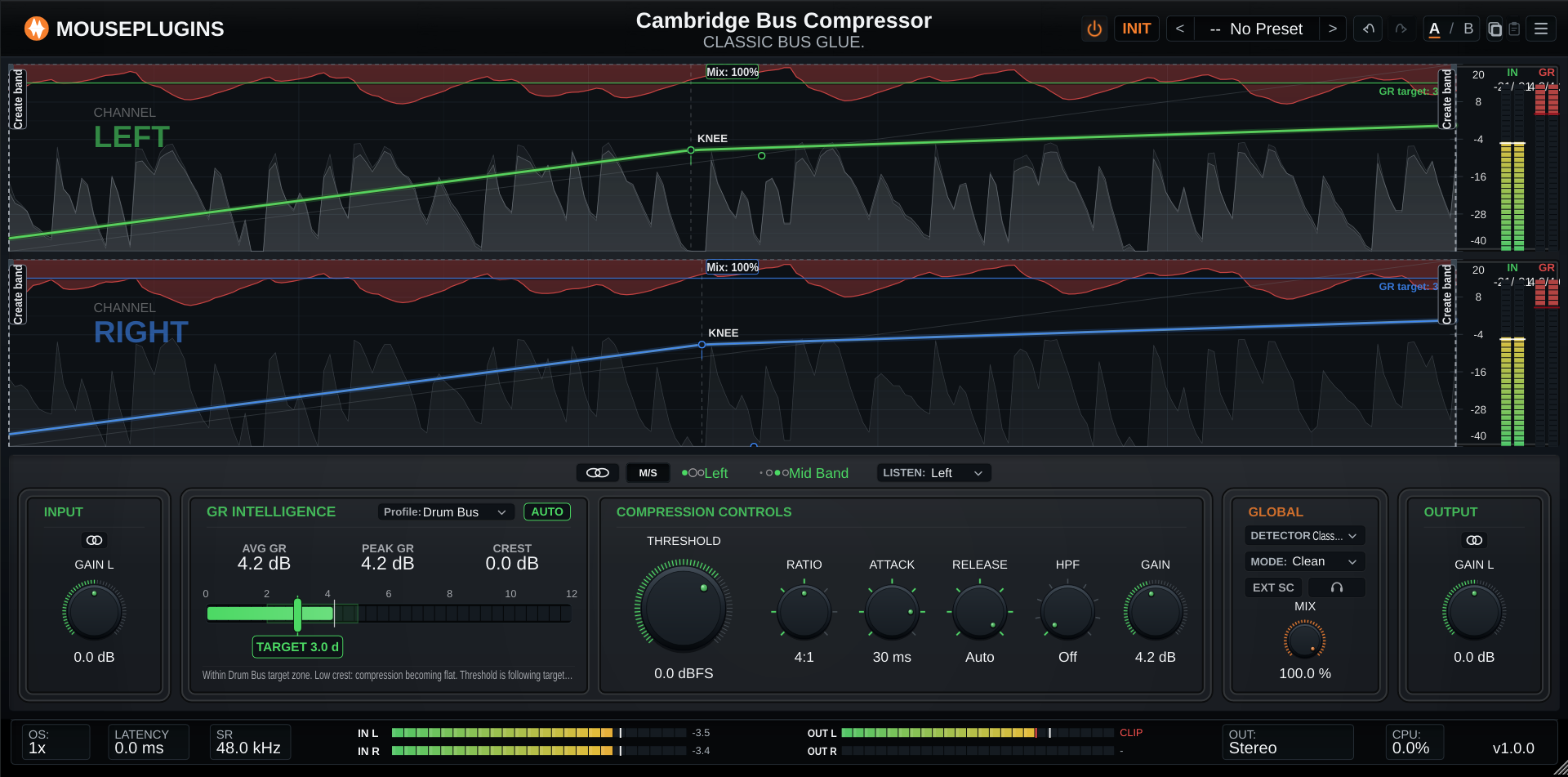
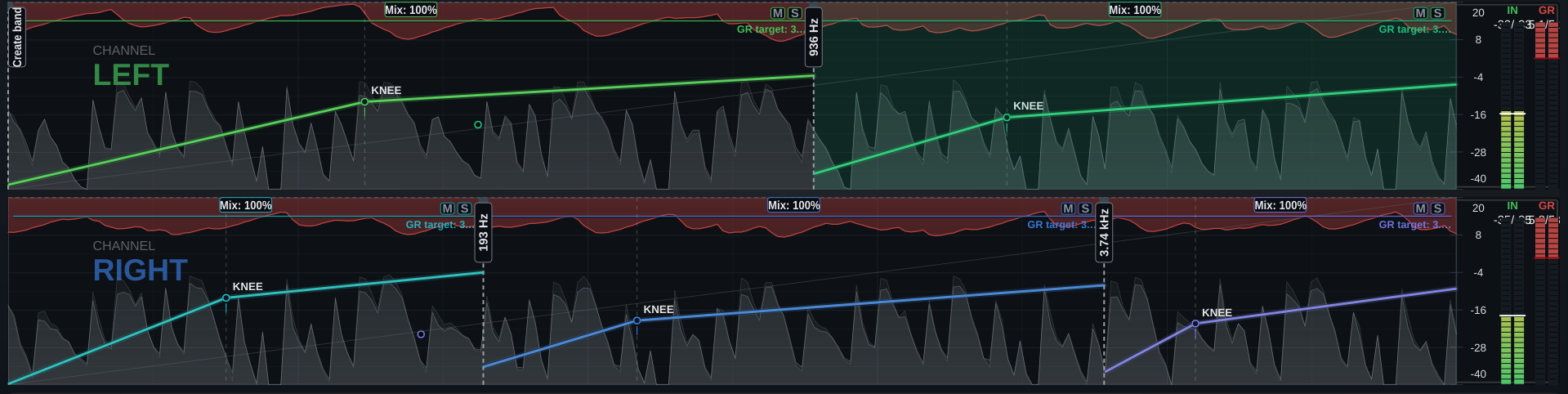
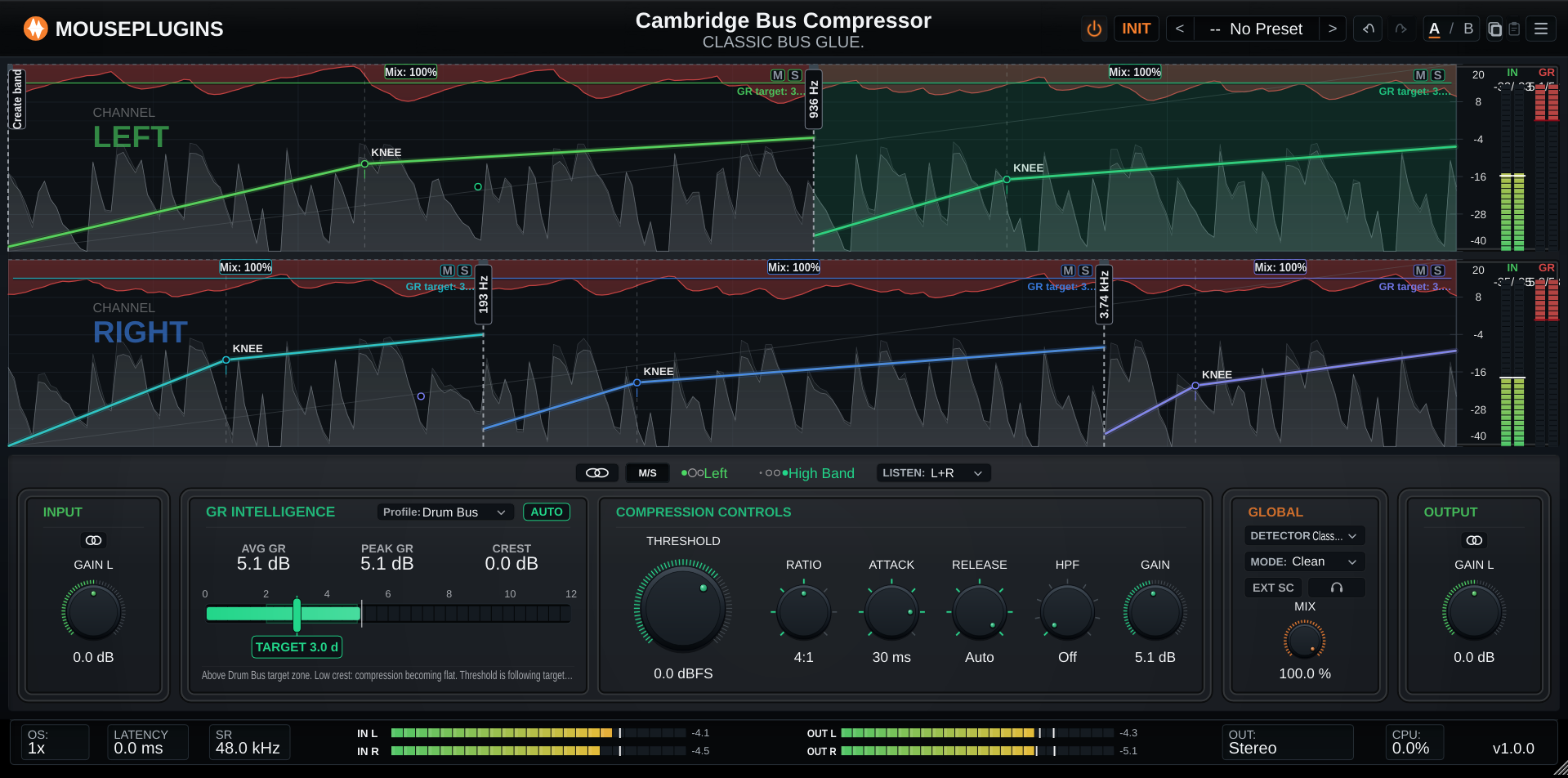
Cambridge Bus Compressor is a three-band, two-lane bus compressor. Left alone, it operates as a full-range single-band bus compressor — insert it, pull the threshold down a little, and it holds the mix together. Bring in up to two more bands, independently on each side, only when the source actually needs frequency-selective control.

GR Intelligence reads the compressor against a reference target zone for the selected source type — kick, snare, drum bus, bass, vocal, mix bus, master, or a custom target — giving you context for the amount of gain reduction you're seeing. Auto GR goes a step further: set a target and it finds the threshold for you, using the same audio-thread control logic whether the plugin window is open, closed, or the session is bouncing offline.

Switch to Left/Right or Mid/Side and each lane becomes a independent compression lane — its own bands, its own crossovers, its own settings — while Stereo Linked keeps one set of controls governing both channels. Each band also carries its own parallel mix, blending toward its own uncompressed signal independently of the plugin's overall wet/dry balance.
  • Manual
  • Auto GR
Lifetime bundles
Get Cambridge Bus Compressor in a lifetime bundle.

All current and future plugins in that bundle. Updates included for life. Prices rise as more plugins are added.

Next bundle price review: 16 Sep 2026

Learn more

The workflow

Two ways to work — drive it like a classic compressor, or set a target and let the plugin find the threshold for you.

Manual

Drive it like a classic compressor.

  1. Pick a band and lane, in the chart.
  2. Dial in Threshold, Ratio, Attack, Release, and Gain.
  3. Bring in Low and/or High bands if the source needs it.
  4. Match levels with Output Trim.
Auto GR

Set a target and let it find the threshold.

  1. Set a TARGET gain-reduction amount.
  2. Engage AUTO — the effective threshold and makeup move to reach it.
  3. Disengage whenever you like — the found values are handed back, no jump.
  4. Keeps converging even with the editor closed, or during an offline bounce.

Highlights

Multiband, per lane

Bring in up to two more bands, independently on each side, only when the source needs it.

GR Intelligence + Auto GR

A guided read-out, and a servo that finds the threshold for you when you want it to.

Stereo, Left/Right, or Mid/Side

Independent processing lanes, not just a linked stereo pair.

Free, forever

No license, no activation, no trial limit.

01
Multiband compression

Three bands, per lane, when you need them

Low and High bands are opt-in, independently on each side — Mid is always active. Disable a band and its frequency range is handed to its neighbouring active band instead of passing through untouched.

  • Drag the chart edge to bring in a band
  • Low/Mid crossover 40–600 Hz, Mid/High 800–8000 Hz
  • Independent band layout per lane
  • Per-band mute and solo
Three bands, per lane, when you need them
02
Guided workflow

GR Intelligence

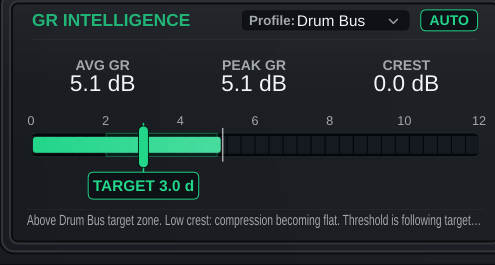
A read-out panel that tells you what the compressor is doing against a reference target zone for the source — kick, snare, drum bus, bass, vocal, mix bus, master, or a custom target.

  • Average, peak and crest read-outs
  • 8 source profiles with a reference target zone
  • Read-only — never changes your audio on its own
GR Intelligence
03
Auto GR

Set a target, not a threshold

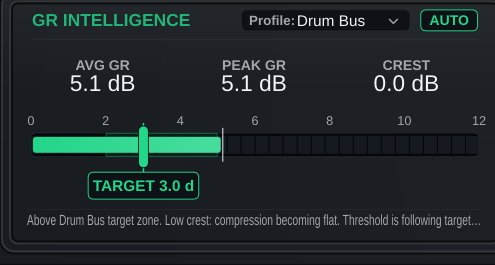
Auto GR reverses the usual workflow: pick a gain-reduction target and the servo finds the threshold for you, on the audio thread — not the interface.

  • Uses the same control logic live, offline, or with the editor closed
  • Effective Gain animates live on the knob while engaged
  • Turning it off hands the found values back with no jump
Set a target, not a threshold
04
Routing

Stereo, Left/Right, or Mid/Side

Stereo Linked runs one set of controls across both channels. Left/Right and Mid/Side provide two independent processing lanes, each with its own bands, crossovers and compression settings.

  • LISTEN monitors one lane in isolation
  • Independent per-lane band layout when unlinked
  • Linked edits mirror band layout, mute/solo and per-band mix to both lanes
Stereo, Left/Right, or Mid/Side
05
Parallel compression

Per-band parallel mix

Every band carries its own 0–100% mix control, blending toward its own uncompressed signal — independent of the plugin's overall wet/dry balance.
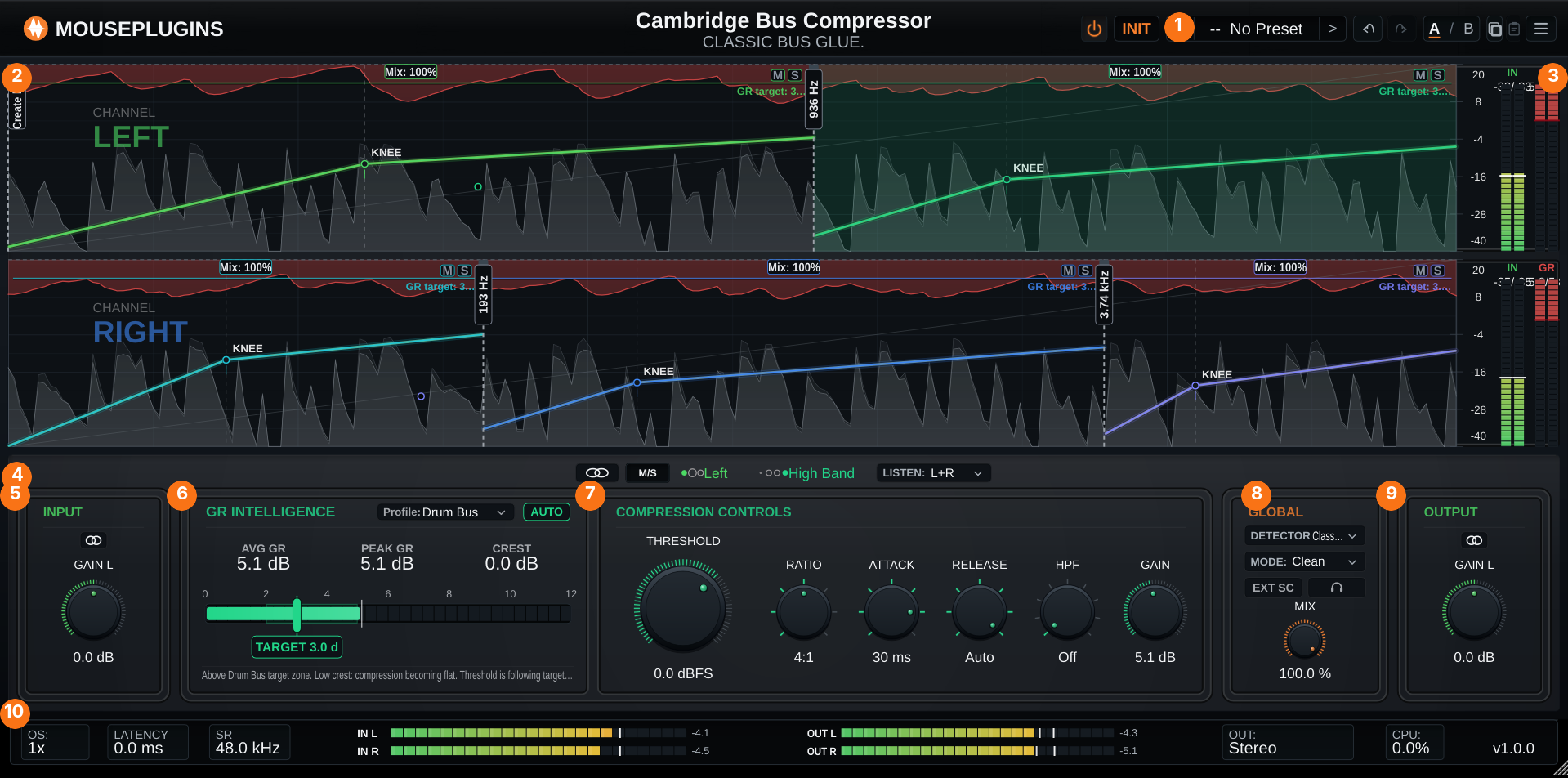
  • Drag the Mix label directly on the chart
  • Independent per band and per lane
  • Distinct from the global Mix knob
Per-band parallel mix
06
Sidechain

Shape what triggers compression

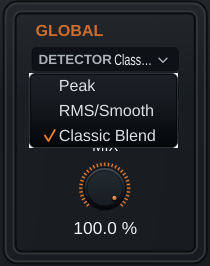
High-pass the detector, switch to an external sidechain source, or change how the envelope is tracked — all in the detector path, without filtering the audio path itself.

  • Sidechain HPF, 30–320 Hz
  • External sidechain input, mono or stereo
  • Sidechain Listen — hear exactly what the detector hears
  • Peak / RMS-Smooth / Classic Blend detector modes
Shape what triggers compression
07
Character

Mode

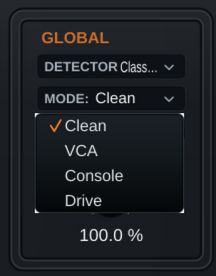
An optional post-compression character stage with four modes, from clean to driven.

  • Clean, VCA, Console, Drive
Mode
08
Licensing

Free, no strings attached (except your love for MousePlugins)

The complete plugin, free. No license file, no activation, no trial limit, no account, no internet check.

  • No license key required
  • No trial limitations
  • 20 factory presets included
Free, no strings attached (except your love for MousePlugins)
Overview
Plugin type Bus compressor — three bands, two independent lanes
Channel modes Stereo Linked, Left/Right, Mid/Side
Lane linking Linked or independent compression settings per lane
Use cases Mix bus, drum bus, mastering bus, submixes
Guided workflow GR Intelligence read-out with 8 source profiles; Auto GR audio-clocked servo
Processing
Bands Low, Mid, High — Mid always on, Low/High optional per lane
Crossovers Low/Mid 40–600 Hz, Mid/High 800–8000 Hz, independent per lane
Compressor Threshold −40…+20 dBFS; Ratio 1.5–20:1; Attack 0.1–30 ms + Auto; Release 0.1–1.2 s + Auto; soft knee
Per-band Mix 0–100% parallel blend, independent per band and per lane
Sidechain Internal or external detector source; sidechain HPF; Sidechain Listen; Detector mode (Peak/RMS-Smooth/Classic Blend)
Colour Clean, VCA, Console, Drive character modes
Oversampling None — runs at host sample rate
Host & system
Formats VST3, CLAP
Operating system Windows 10+ 64-bit · Linux 64-bit, glibc 2.35+ (Ubuntu 22.04+, Debian 12+, Fedora 36+) · macOS not supported
Channel layout Mono or stereo in/out, with an optional mono or stereo sidechain input
Sample rates 44.1 / 48 / 88.2 / 96 / 176.4 / 192 kHz
Factory presets 20
Licensing Free — no activation, no trial limit, no feature restriction
It's a bus/glue compressor with three optional bands and two independent processing lanes. Left alone it operates as a full-range single-band bus compressor; bring in Low and High bands, independently on each side, only when the source needs it. GR Intelligence and Auto GR help you find a starting threshold.
Yes — from Init, only the Mid band is active, so it behaves as a single full-range compressor until you drag in Low or High.
Stereo Linked runs one set of controls across both channels. Left/Right and Mid/Side give each side its own bands, crossovers and compression settings — independent lanes.
No. It's a read-only guidance panel — average, peak and crest read-outs against a target zone for your chosen source profile. Only Auto GR, a separate toggle, can move the threshold.
A 0–100% parallel blend for each band, independent per lane, distinct from the plugin's overall wet/dry Mix knob.
20 factory presets, grouped by use case — general, mix bus, mastering, drums, parallel, vocals, synths, M/S, sidechain and creative.
Almost every control is automatable per band and per lane. A handful of live parameters (Knee, Auto Makeup, Sidechain Tilt, Drive amount) have no on-screen knob but remain automatable; Global Makeup is the one exception, reachable only via presets or saved state.
Raise the SC HPF (sidechain high-pass) in Compression Controls, around 45–90 Hz. It high-passes the detector only, not the audio, so the kick and bass stop driving gain reduction as hard on every hit.
Yes. The servo runs on the audio thread, not the interface, so it converges the same way live, offline, or with the editor closed.
Both effective values are handed back to the stored knobs immediately — no jump, editable by hand from there.
Yes — route a source to the plugin's sidechain input bus in your host (mono or stereo), then switch EXT SC to External.
While linked, the left lane's controls govern both channels for manual Threshold/Ratio/Attack/Release/Gain edits — the right lane's own stored values are preserved untouched and return exactly as you left them when you unlink.
Cambridge Bus Compressor requires glibc 2.35 or newer (Ubuntu 22.04+, Debian 12+, recent Fedora/Arch). Older distributions are not supported in this release.
Check the selector row — you may be editing a different band or lane than the one you just enabled. Also check whether another band in that lane is soloed, since solo overrides mute.
The plugin reports its processing latency to the host and displays it in the footer. Compatible hosts use that reported value for plugin delay compensation.
No — Cambridge Bus Compressor runs at a fixed native (1×) processing rate.
VST3 and CLAP, on Windows 10+ (64-bit) and Linux (64-bit, glibc 2.35+). macOS is not supported in this version.
64-bit VST3 or CLAP hosts on the supported Windows and Linux systems listed above. As with any plugin, exact compatibility can depend on the DAW version, plugin format, operating system, and host configuration.
Yes — completely free, no license, no activation, no trial limit, no feature restriction, no account, no internet check.
No. There's no activation step and no internet check of any kind.
Yes — it's free with no license tied to a single machine.
Not inside the plugin itself — it ships with 20 factory presets plus Init. Use your host's own project or preset system to keep your own setups.
What's Included
Cambridge Bus Compressor box
  • Cambridge Bus Compressor Plugin
  • Quick Start
  • Full User Manual
  • Factory presets
Supported Formats
CLAPVST3
System Requirements
Windows: 10 or later
Linux x64: glibc 2.35+
  • Ubuntu 22.04+
  • Debian 12+
  • Linux Mint 21+
  • Fedora 36+
  • Arch / Manjaro / EndeavourOS / Garuda
  • openSUSE Tumbleweed
  • Pop!_OS 22.04+
Host: 64-bit VST3 or CLAP-compatible DAW
Free updates Included for Cambridge Bus Compressor
No activation No license file, no phone-home
Human support Real replies when something breaks

Pairs well with

Beta program

Break our plugins for fun

Test pre-release builds and help shape what ships next.

Join the beta →
What testers get
  • Private pre-release builds when a beta is active.
  • A direct path to report DAW, install, licensing, and sound issues.
  • Early influence on compatibility priorities and release readiness.
  • Provide suggestions on future development and roadmap.
  • Request specific plugins.
Cart
Cart empty
Browse Plugins