70% off sitewide until May 31st 2026, 23:59 UTC. Shop now →
MousePlugins

StudioHum

Silence is overrated.

Studio-hardware-style hum generator. Three archetypes, drift engine, reports 0 samples of latency.

Formats CLAP VST3
€11.70 v1.1.0
Sign in to leave feedback

Stripe checkout. Cards, PayPal, wallets, and eligible Klarna instalments may be available.

The sound between the sounds.

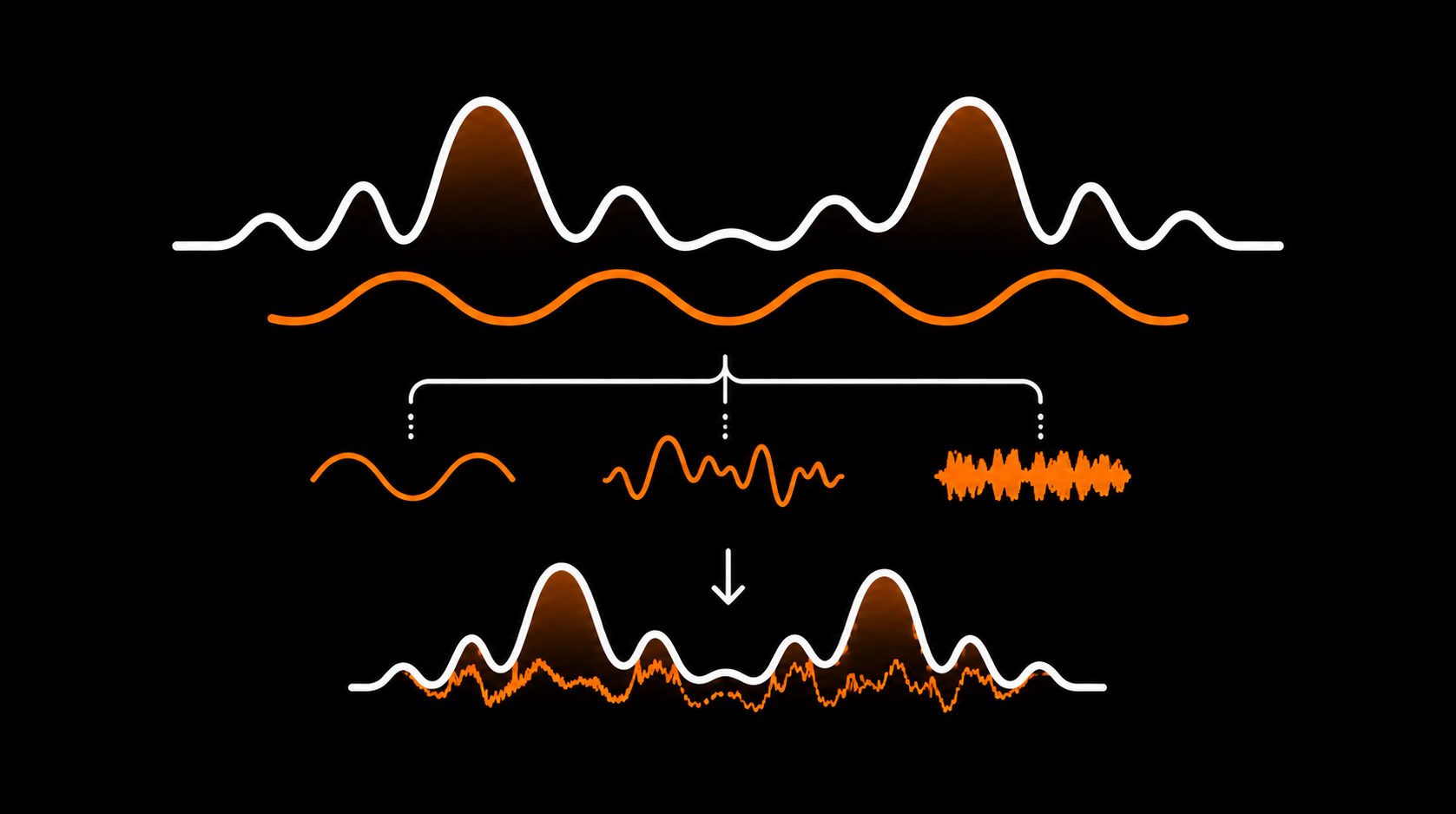
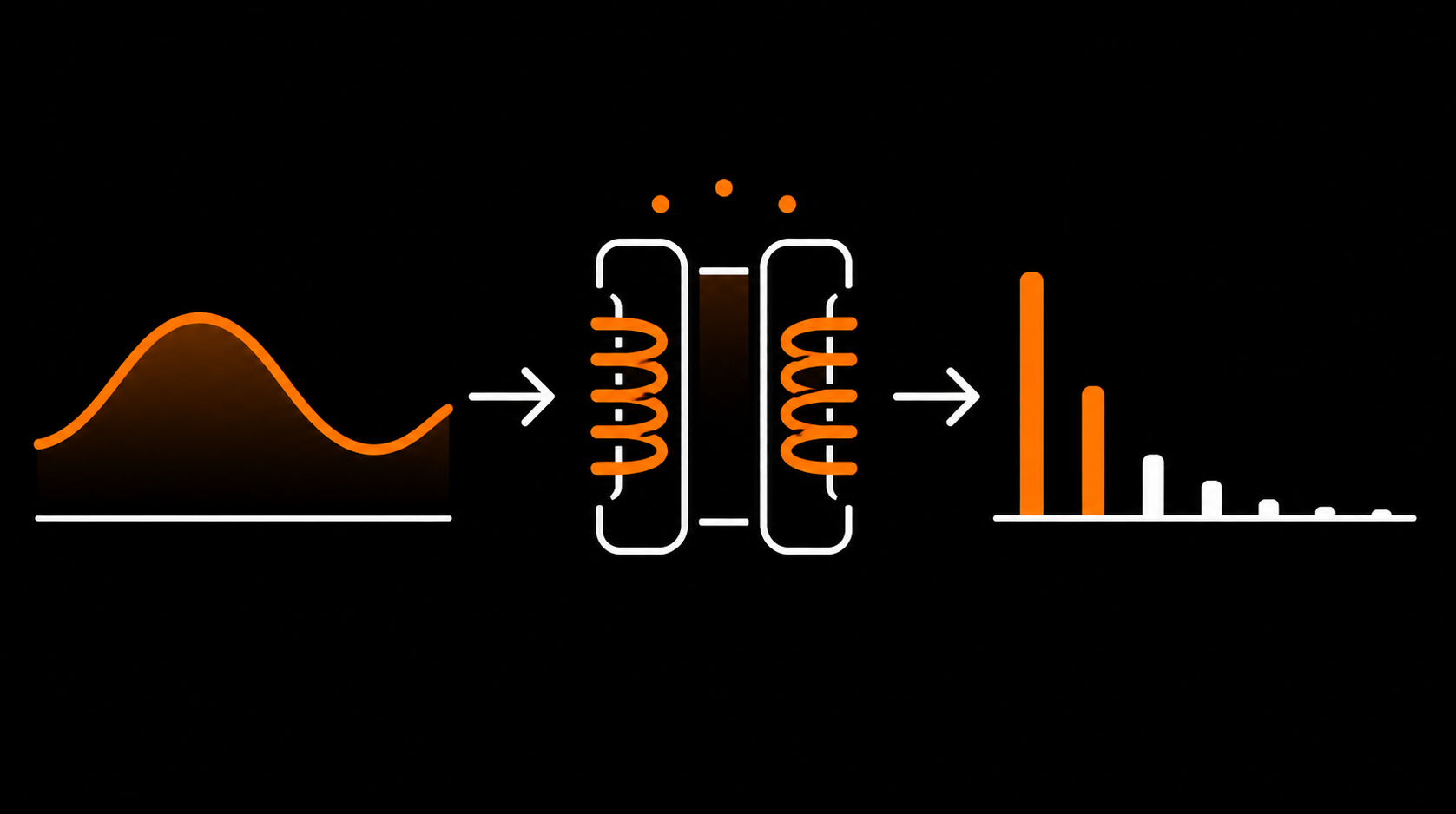
Many pieces of studio hardware produce low-level electrical hum. Transformers can radiate at mains frequency. Power supplies can inject ripple at double mains. Grounding issues can create low-frequency interference between chassis. StudioHum is built around that controlled low-level hum layer, so the silence between tracks does not feel unnaturally empty.

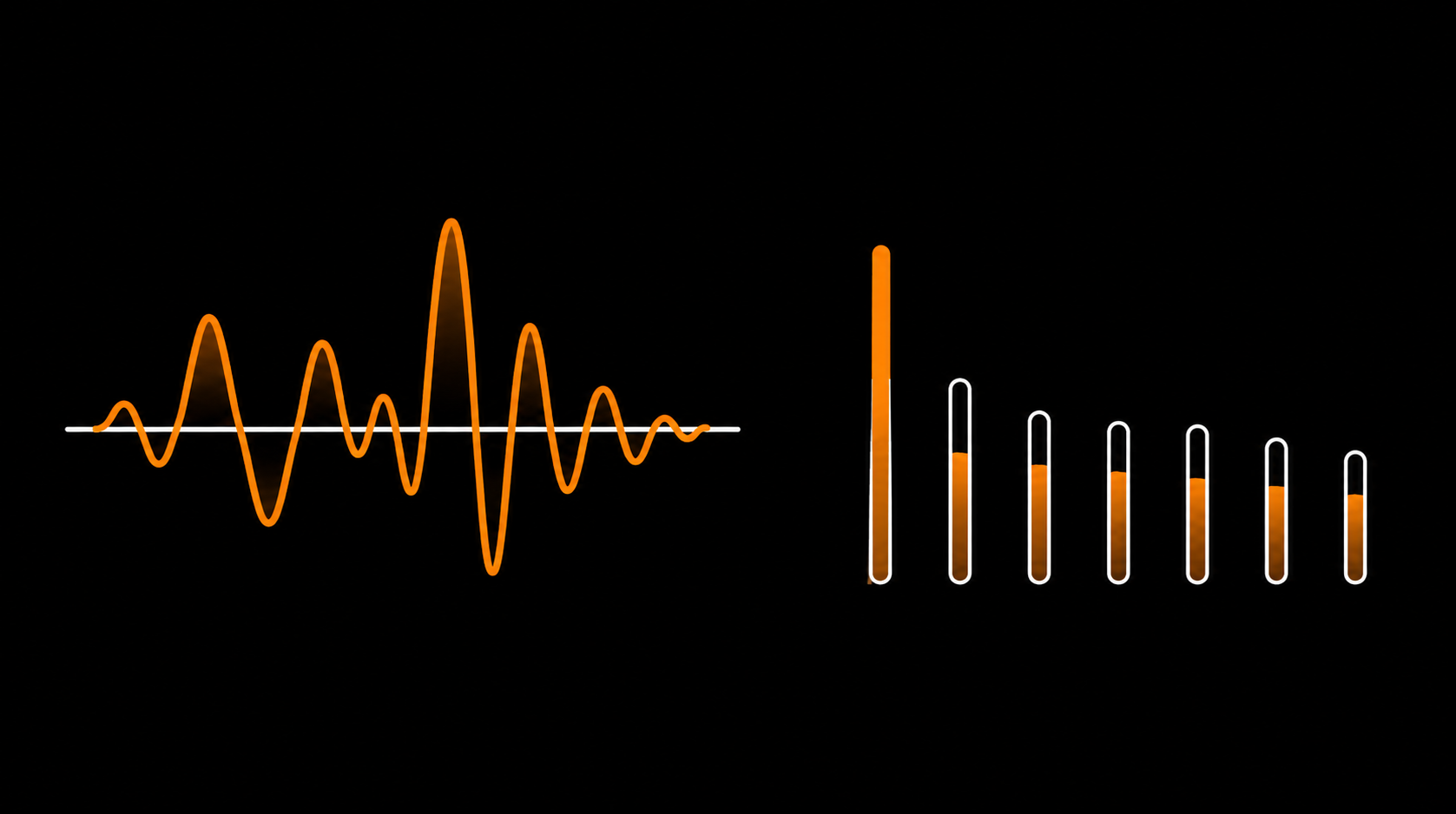
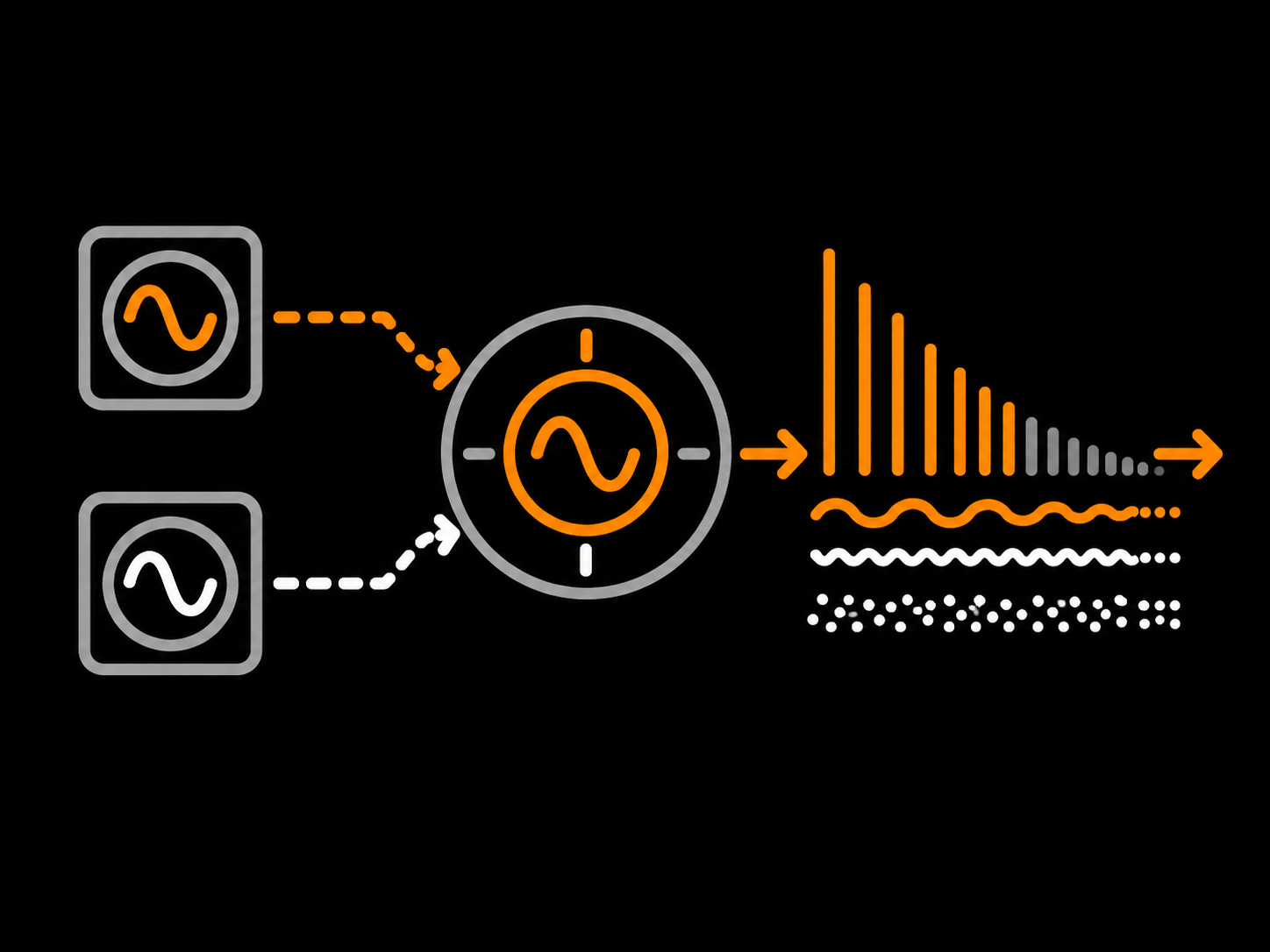
StudioHum synthesises that hum from scratch. It is not a sample loop: it uses a harmonic oscillator bank locked to 50 or 60 Hz, with up to 16 harmonics shaped by one of three hum archetypes. Console Iron provides rounded even-harmonic emphasis. PSU Buzz adds the denser, grittier harmonic ladder of a power-supply-style source. Open Frame provides the more balanced, raw character of open EI-core transformer-style hum.

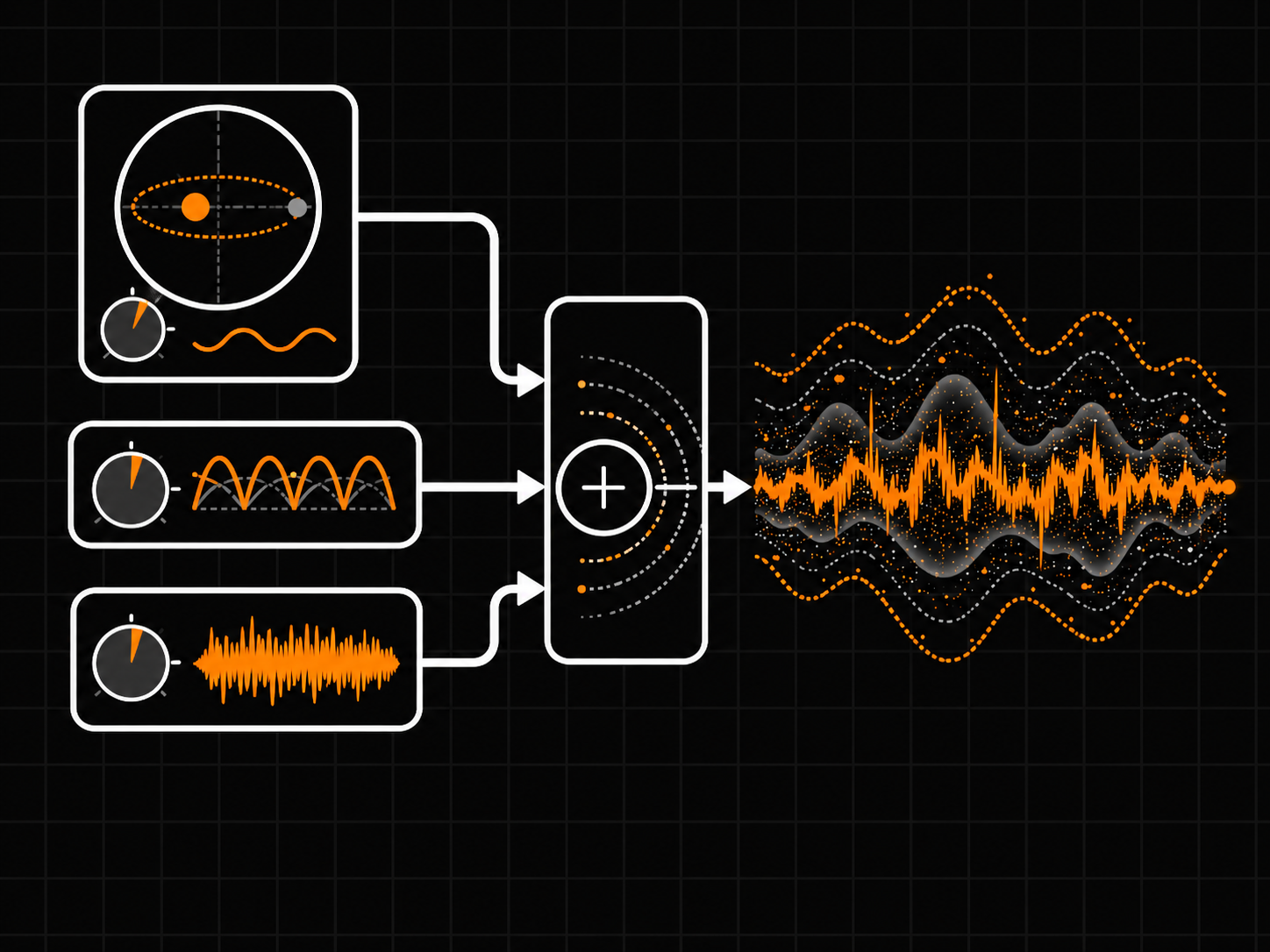
A drift engine gently modulates the fundamental frequency, keeping the hum moving slightly instead of sitting static. A ripple oscillator adds the 100/120 Hz power-supply pulse. A hash noise shaper adds mains-synchronous high-frequency grain inspired by magnetic and electrical switching behaviour.

Tone controls shape the harmonic profile. Brightness tilts the harmonic ladder brighter or darker. Warmth boosts the lower harmonics for a thicker, more present hum. Spread decorrelates the stereo image so the hum sits wide instead of centre-locked. Mismatch adds a subtle left/right gain difference for channel variation.

StudioHum reports 0 samples of latency. Repeatable by design: the same seed and settings recreate the same hum behaviour. Place it after the limiter when you want the hum layer to remain untouched by later dynamics, or on individual tracks when you want separate channel-by-channel hum.

StudioHum is offline-first. No internet connection required for activation or use. No plugin telemetry, no phone-home activation check, and no in-plugin account login. One local license file, one plugin.
  • Console Iron
  • PSU Buzz
  • Open Frame
The sound between the sounds.

Studio-hardware-style hum generator. Three archetypes, drift engine, reports 0 samples of latency.

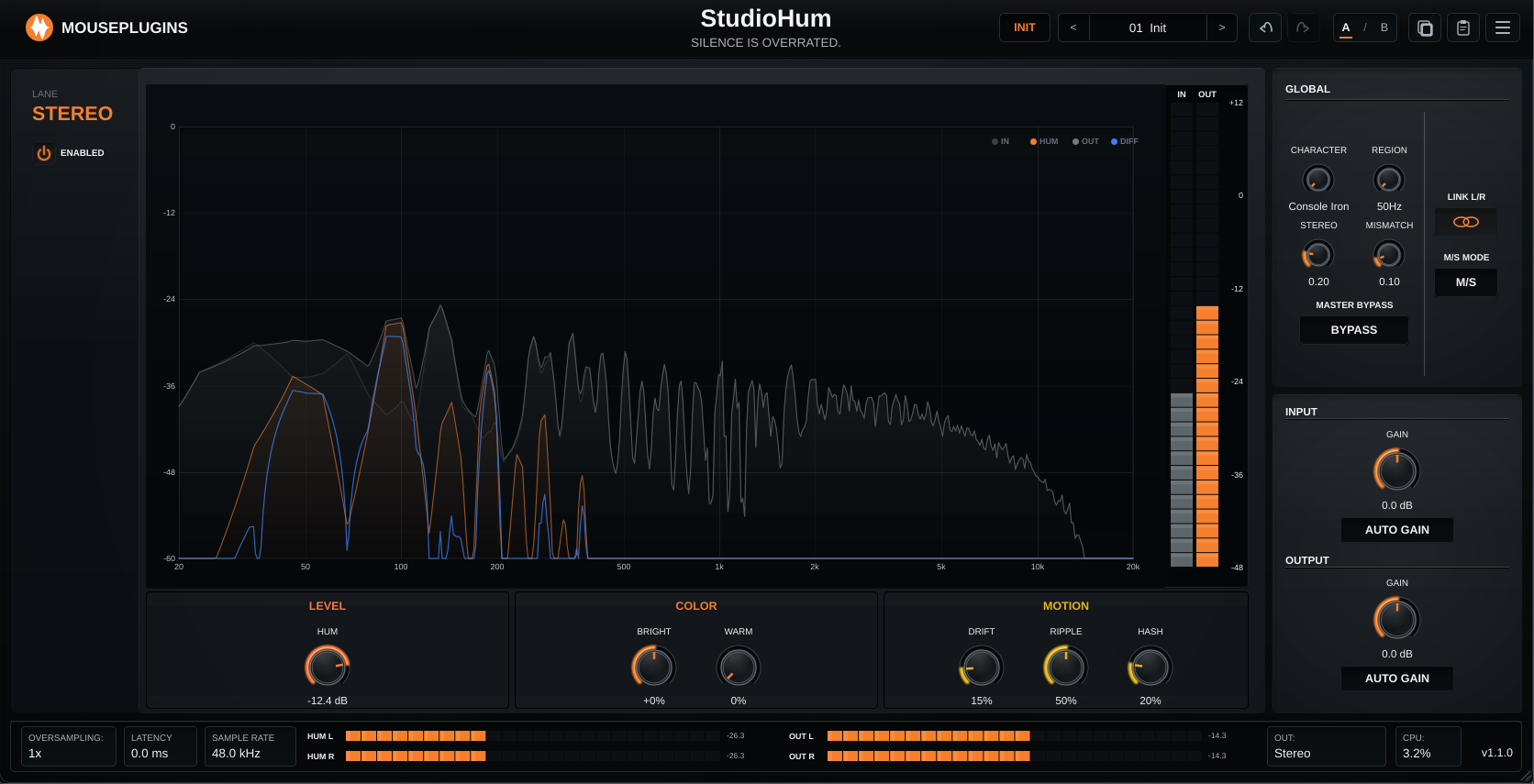
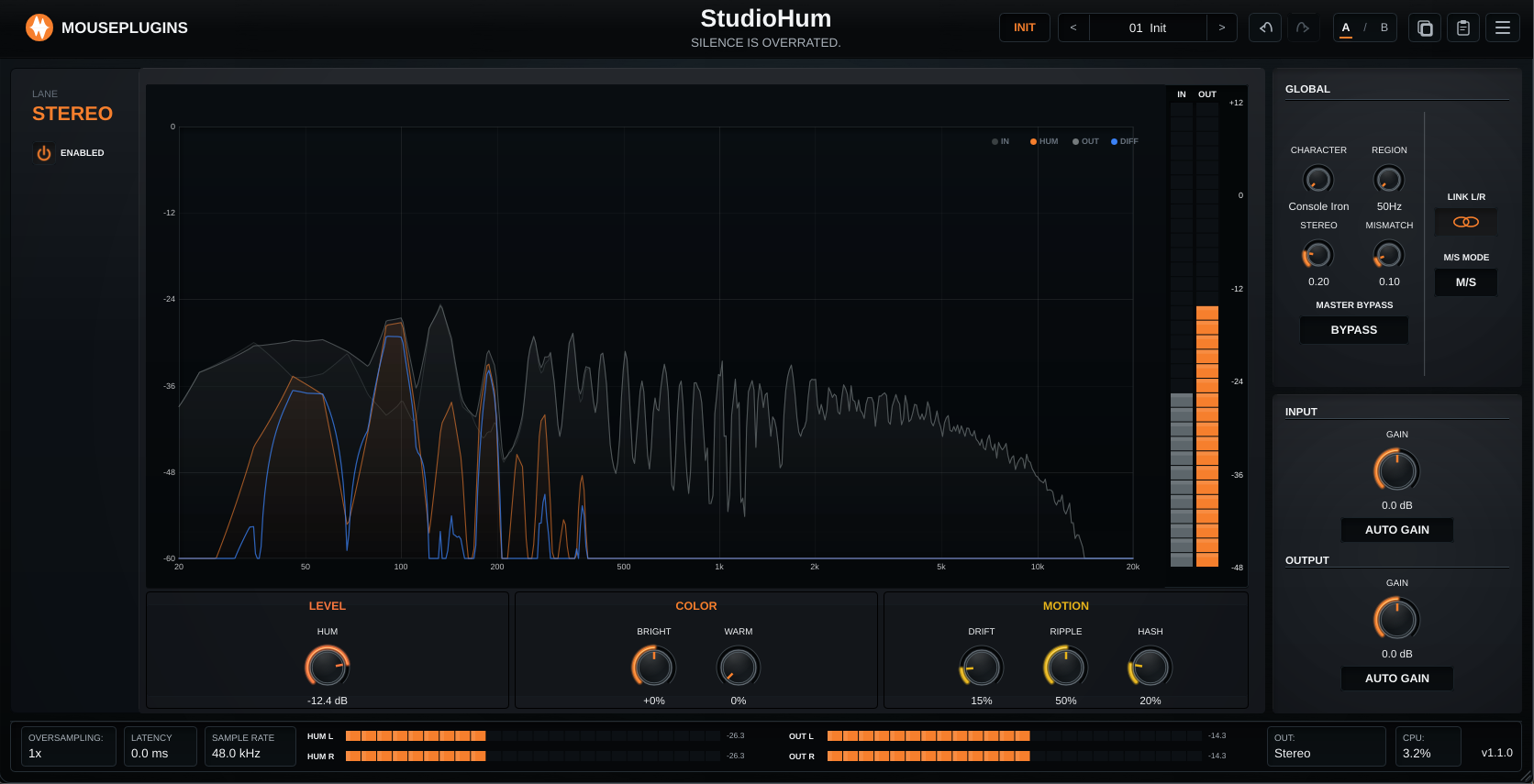
StudioHum UI
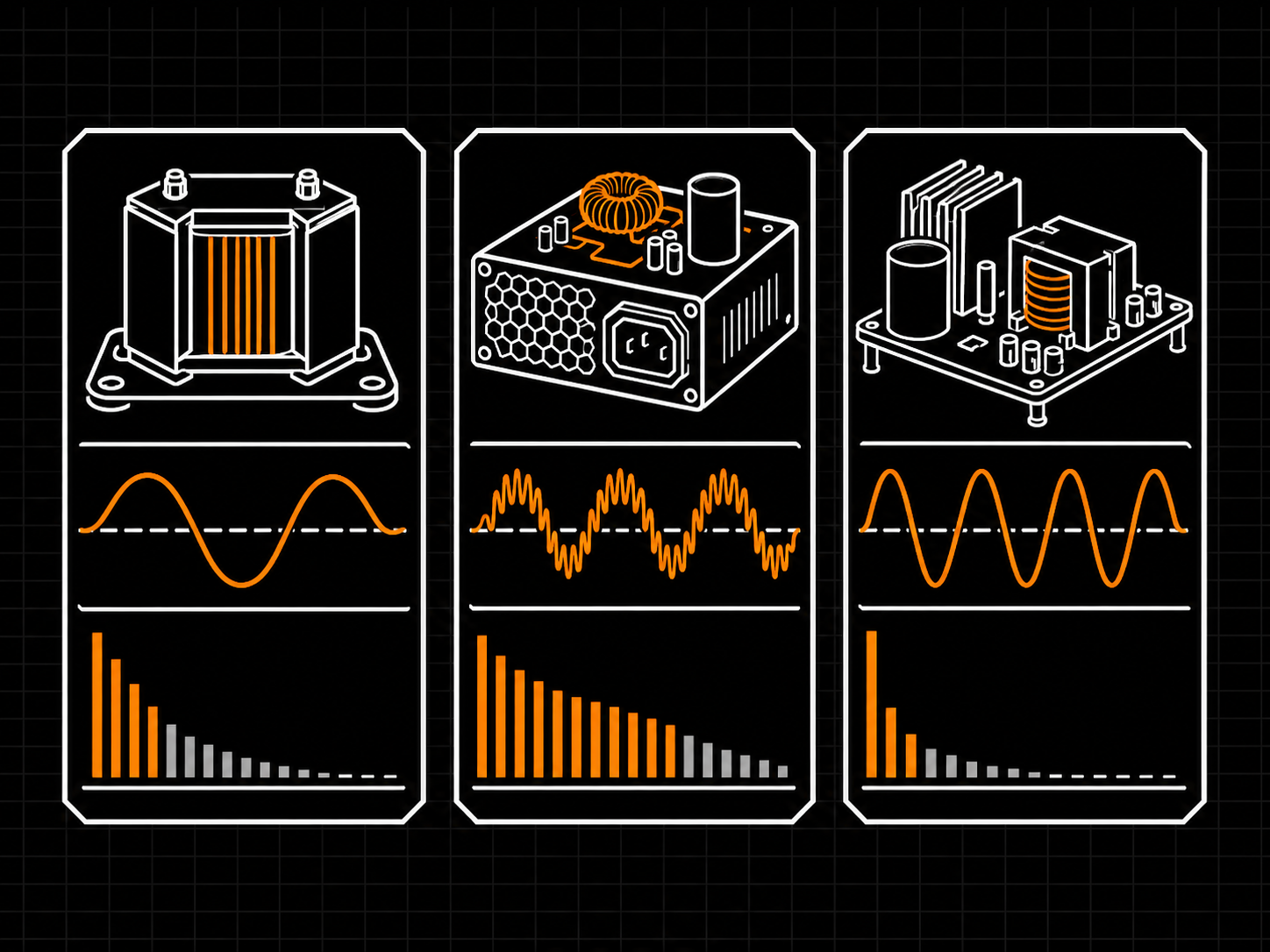
Console Iron

Rounded and low-mid focused. Transformer-style hum with a clear even-harmonic bias: the second harmonic sits noticeably above the higher odd harmonics, giving it a large-console idle tone.

PSU Buzz

Edgy, aggressive. Dense harmonic ladder with odd harmonics present. Grittier and more forward than Console Iron — the sound of a power supply under load.

Open Frame

Raw and airy. Open EI-core transformer-style hum with a more balanced harmonic profile: the fundamental is relatively more present. Less polished, more exposed.

01
MAINS-REFERENCED HUM ENGINE

50 Hz or 60 Hz operation

A synthesis engine built around mains-frequency hum: 50 Hz or 60 Hz, with the related harmonic stack generated live. Not a sample library, not a static drone. The hum, ripple, and hash components are synthesized in real time, so the noise floor sits around the places electrical noise actually appears.

50 Hz or 60 Hz operation
02
THREE CHARACTER PROFILES

Console Iron, PSU Buzz, Open Frame

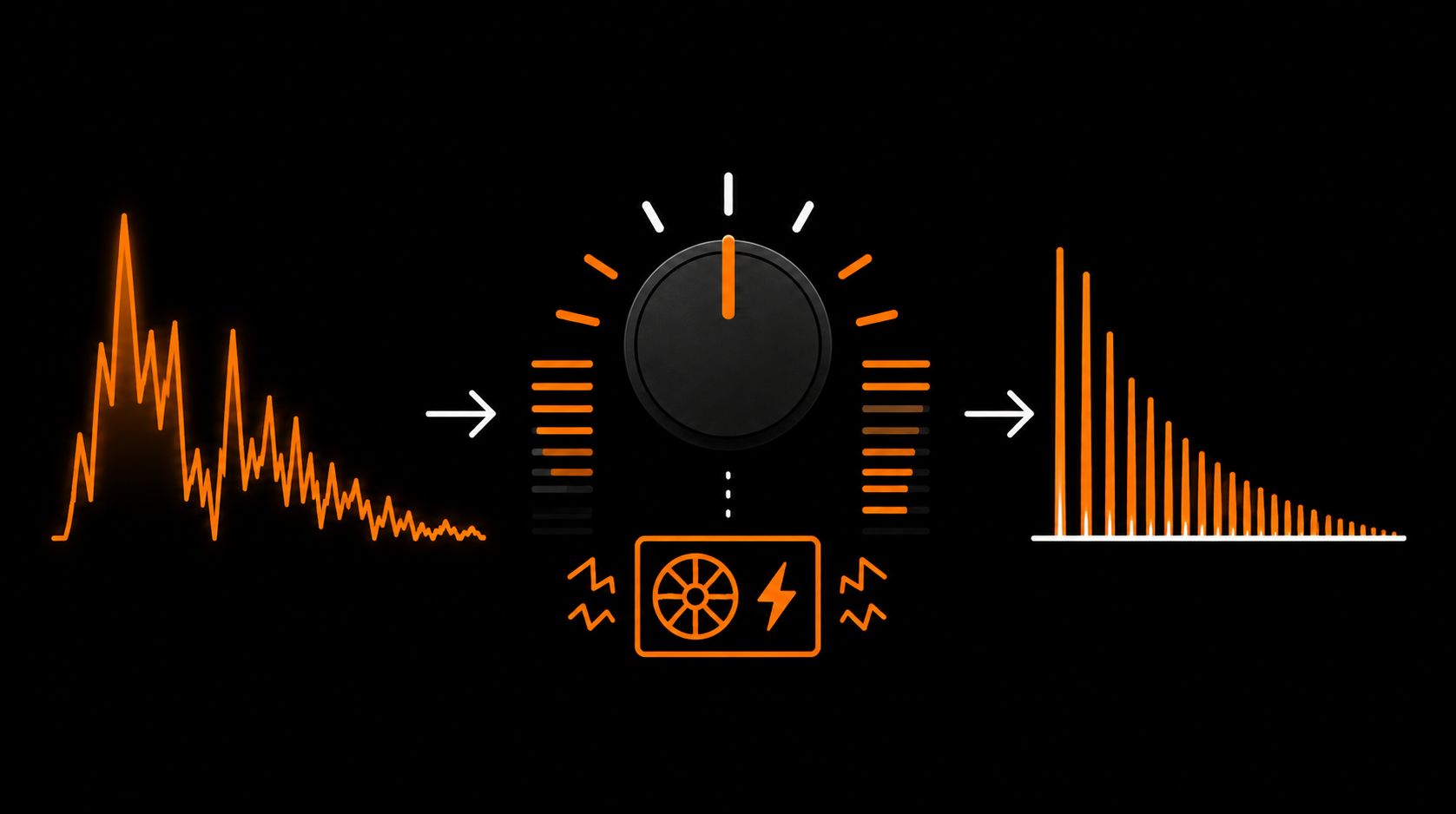
Three distinct hum voicings. Console Iron focuses on transformer-style low-order harmonic body. PSU Buzz pushes stronger harmonics, rectifier ripple, and switching texture. Open Frame keeps the fundamental more exposed with a less transformer-weighted harmonic shape.

Console Iron, PSU Buzz, Open Frame
03
DRIFT, RIPPLE, HASH

Three noise components for movement

Drift adds slow frequency and stereo movement so the hum never sits perfectly still. Ripple adds rectifier-style 100/120 Hz movement. Hash adds filtered switching grain shaped by the mains cycle. Three layers that turn a static hum into living noise-floor texture.

Three noise components for movement
04
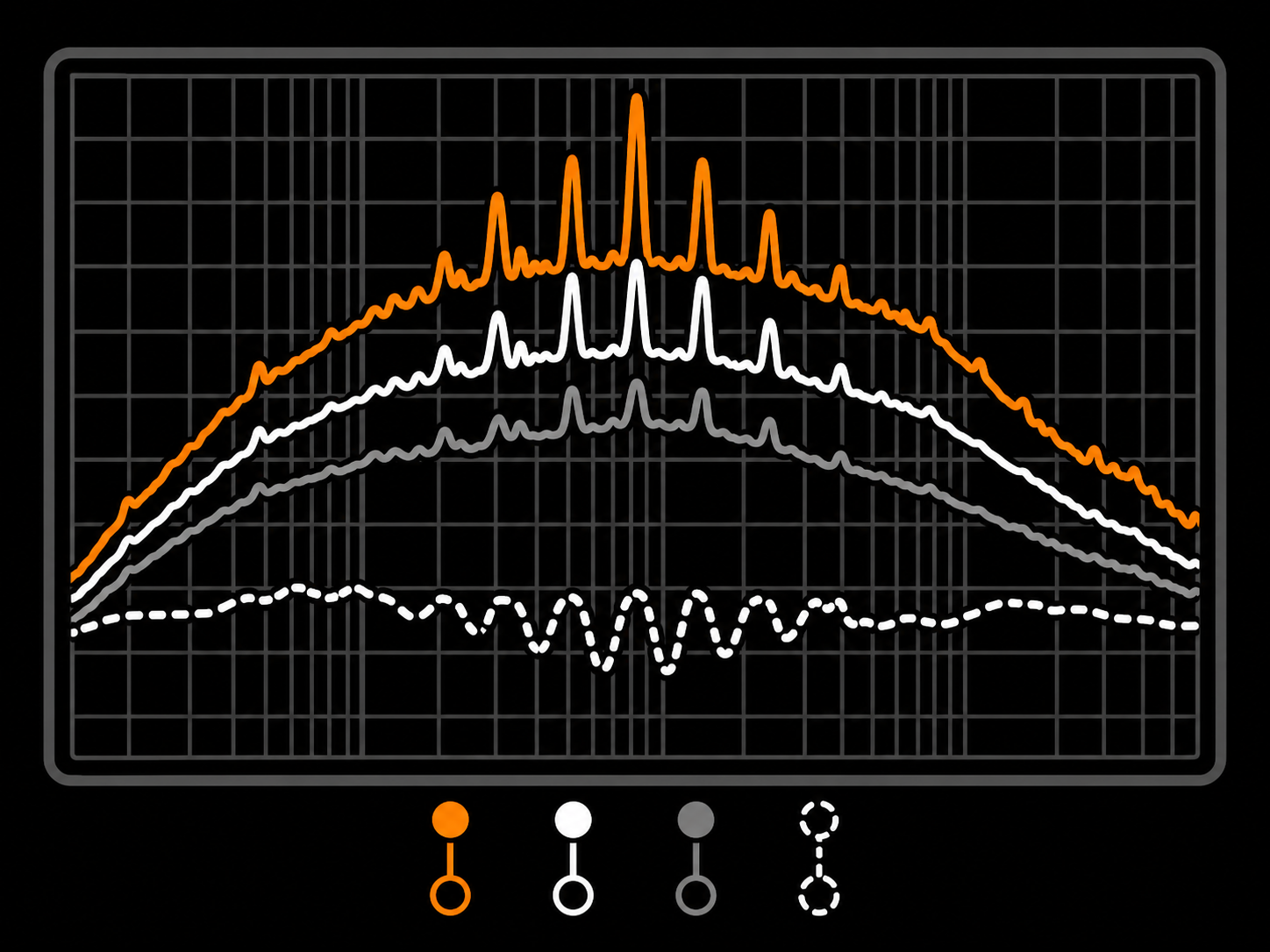
LIVE 4-TRACE ANALYZER

IN, HUM, OUT, DIFF

A real-time spectrum view shows four traces simultaneously: the input signal, the hum being added, the resulting output, and the difference between input and output. See what StudioHum is adding to the source, and where it sits in the spectrum.

IN, HUM, OUT, DIFF
Overview
Plugin type Studio-hardware-style hum synthesis with drift, ripple, and noise-floor texture
Use cases Lo-fi texture beds, vintage-style noise-floor character, hum re-introduction on sterile digital tracks, creative noise FX
Channel modes Stereo, Left/Right, Mid/Side
Lane linking Linked or unlinked processing per mode
Reported latency 0 samples
Processing
Signal path Input + hum-synthesis engine, tone shaping, optional DC blocker, parallel mix, output stage
Hum engine Mains-synchronous hum + transformer-style harmonic profile + ripple
Region 50 Hz (Europe) or 60 Hz (North America) fundamental
Character profiles Console Iron (even-harmonic dominant), PSU Buzz (multi-harmonic + ripple), Open Frame (fundamental-forward)
Noise components Drift, ripple, Hash (diode-switching buzz)
DC blocker Fixed internal high-pass (5 Hz) removes DC offset and very low-frequency drift
Internal processing Deterministic internal DSP with 0 reported latency
Controls
Region 50 Hz (Europe) / 60 Hz (North America)
Character Console Iron / PSU Buzz / Open Frame
Hum Level Master hum amount in dB
Brightness Spectral tilt emphasizing or rolling off high harmonics
Warmth Boosts fundamental and low harmonics (H1-H4)
Drift Drift amount — modulates the fundamental for slight movement
Ripple Mains-ripple amount
Hash Diode-switching buzz amount
Output Bipolar trim ±12 dB applied after hum mix
Channel Mode Stereo / Left-Right / Mid-Side
Lane Link Linked / Unlinked
Input / Output Gain staging with optional Auto Gain
Auto Gain Input and output gain staging helpers calibrated around 0 VU / -18 dBFS RMS
Knob reset Double-click any knob
Metering
Input meters Per active lane, peak + RMS
Hum / Output meters HUM RMS + OUT RMS
Spectrum view Live 4-trace analyzer — IN, HUM, OUT, DIFF
Footer readout Latency, sample rate, CPU, version, UI scale
Formats
Plugin formats VST3, CLAP
Sample rates 44.1, 48, 88.2, 96, 176.4, 192 kHz
Channel layout Stereo in / stereo out
Automation All main controls exposed to host automation
Preset format Single-file .studiohumpreset XML
System Compatibility
Windows 10 / 11 (64-bit)
Linux x64 glibc 2.35+
Tested / recommended Ubuntu 22.04+, Debian 12+, Mint 21+, Fedora 36+, Pop!_OS 22.04+
Rolling distros Arch / Manjaro / EndeavourOS / Garuda, openSUSE Tumbleweed
macOS Not currently shipped
CPU x86_64 with SSE2
RAM Negligible (DSP-only)
Internet Not required for activation
Licensing
License model Offline, machine-based
Activation Local license file
Machines Unlimited (personal use)
Resale Not transferable
Ownership Perpetual license, free updates included
Installation
Windows VST3 C:\Program Files\Common Files\VST3\
Windows CLAP C:\Program Files\Common Files\CLAP\
Linux VST3 ~/.vst3/ or /usr/local/lib/vst3/
Linux CLAP ~/.clap/ or /usr/local/lib/clap/
Components VST3 + CLAP for Windows and Linux
Authorization Local license file, no internet check
It generates mains hum and noise floor: low-level electrical texture inspired by studio hardware. Think transformer-style buzz, 50/60 Hz hum, and subtle noise floor. It is meant to give clean tracks a controlled physical-space layer without using loops or static samples.
Because absolute digital silence between elements can feel unnaturally clean. A barely audible hum and noise floor can add a shared low-level bed behind the audio. Used subtly, it can make separate tracks feel more connected without turning the hum itself into the focus.
50 Hz matches European mains standards, including the UK, EU, and many other regions. 60 Hz matches North American mains. Use the setting that fits the regional character you want, or simply choose the one that works best in the track.
Hardware-style hum is not a fixed sine wave locked to a crystal oscillator. The Drift engine adds small time-varying changes in pitch and level, so the hum moves slightly instead of staying static. A small change can make the layer feel less synthetic.
StudioHum reports 0 samples of latency. It uses direct processing with no lookahead, so it should not offset your session or require plugin-delay compensation.
Usually at the end of a bus or master chain, after compression and EQ. This keeps the hum layer from being exaggerated by later dynamics processing. You can also place it on individual tracks for a more separated channel-by-channel hum effect.
Yes. In v1.1.0, the plugin window supports free resizing: drag the window edges or corners to make the interface larger or smaller. The plugin remembers the window size and restores it the next time it opens.
StudioHum supports VST3 and CLAP on Windows and Linux. On Linux, that includes hosts such as Reaper and Bitwig. On Windows, use a VST3-compatible or CLAP-compatible DAW. VST2-only hosts are not supported.
What's Included
StudioHum box
  • StudioHum Plugin
  • Quick Start
  • Full User Manual
  • Factory presets
Supported Formats
CLAPVST3
System Requirements
Windows: 10 or later
Linux x64: glibc 2.35+
  • Ubuntu 22.04+
  • Debian 12+
  • Linux Mint 21+
  • Fedora 36+
  • Arch / Manjaro / EndeavourOS / Garuda
  • openSUSE Tumbleweed
  • Pop!_OS 22.04+
CPU: Any 64-bit x86
Host: 64-bit VST3 or CLAP-compatible DAW
Free updates Included for StudioHum 1.x
Secure payments Stripe, PayPal, wallets, Klarna when eligible
Human support Real replies when something breaks
Cart
Cart empty
Browse Plugins