MouseManager
Install and update your MousePlugins in one place.
A free standalone plugin manager for Linux.
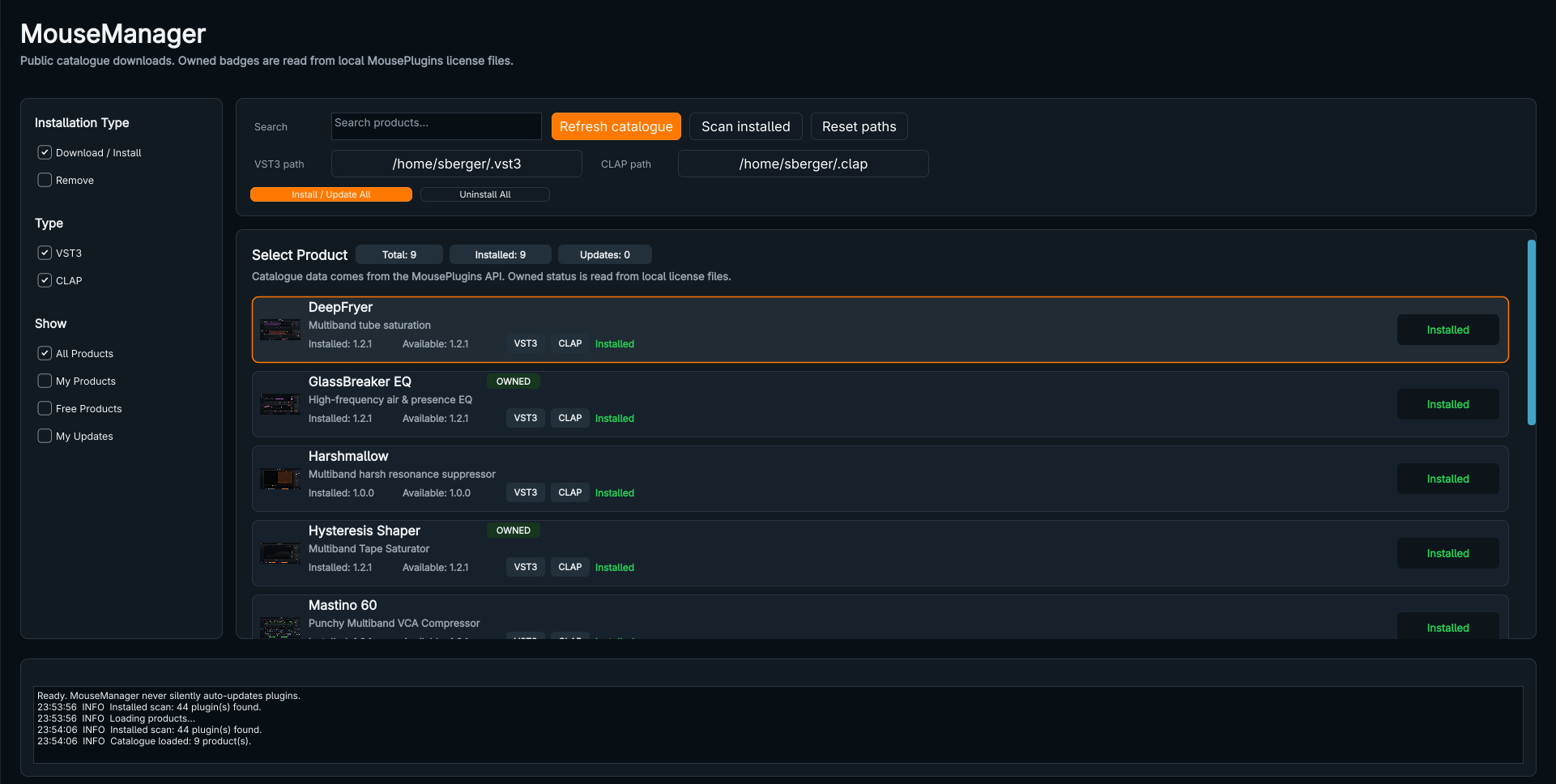
Your plugins, in one place
See what is available and what is already installed.
MouseManager reads the public MousePlugins catalogue and scans your installed plugins. Compare installed and available versions, then choose what to install or update. Nothing updates silently, and no account is required.
Install the formats you need
VST3, CLAP or both.
Select individual plugins or use batch actions. Choose VST3, CLAP or both, and use the standard user plugin folders or paths you select. MouseManager shows installed status and available versions before you act.
Checks before installation
Downloads are verified before they reach your plugin folders.
MouseManager checks package integrity and validates metadata and archive safety before installing. A checksum mismatch or malformed archive blocks the install rather than silently proceeding.
A simple Linux AppImage
Download, launch, then decide whether to add it to your desktop.
The Linux x86-64 release is a single AppImage. On first launch, choose Install MouseManager for user-local desktop integration or Run without installing for that session. Desktop integration does not require administrator privileges. The release is built for an Ubuntu 22.04 / glibc 2.35 compatibility baseline.
Remove the app without removing your work
MouseManager and your audio plugins are separate.
The app can remove its own desktop integration. That action leaves installed VST3 and CLAP plugins, licences, presets and settings in place. Plugin removal is a separate, explicit action.