MousePlugins

Harshmallow

Multiband harsh resonance suppressor
MULTIBAND
Harshness, tamed by the moment.

Adaptive multiband de-harsher. Pulls down harsh upper-mid and treble energy only while it flares, then lets go - attenuation-only, Stereo or Mid/Side. VST3 + CLAP + Standalone, Linux + Windows.

Formats CLAP VST3
€59.00 v1.0.0
Sign in to leave feedback

Stripe checkout. Cards, PayPal, wallets, and eligible Klarna instalments may be available.

Harshness, tamed by the moment.

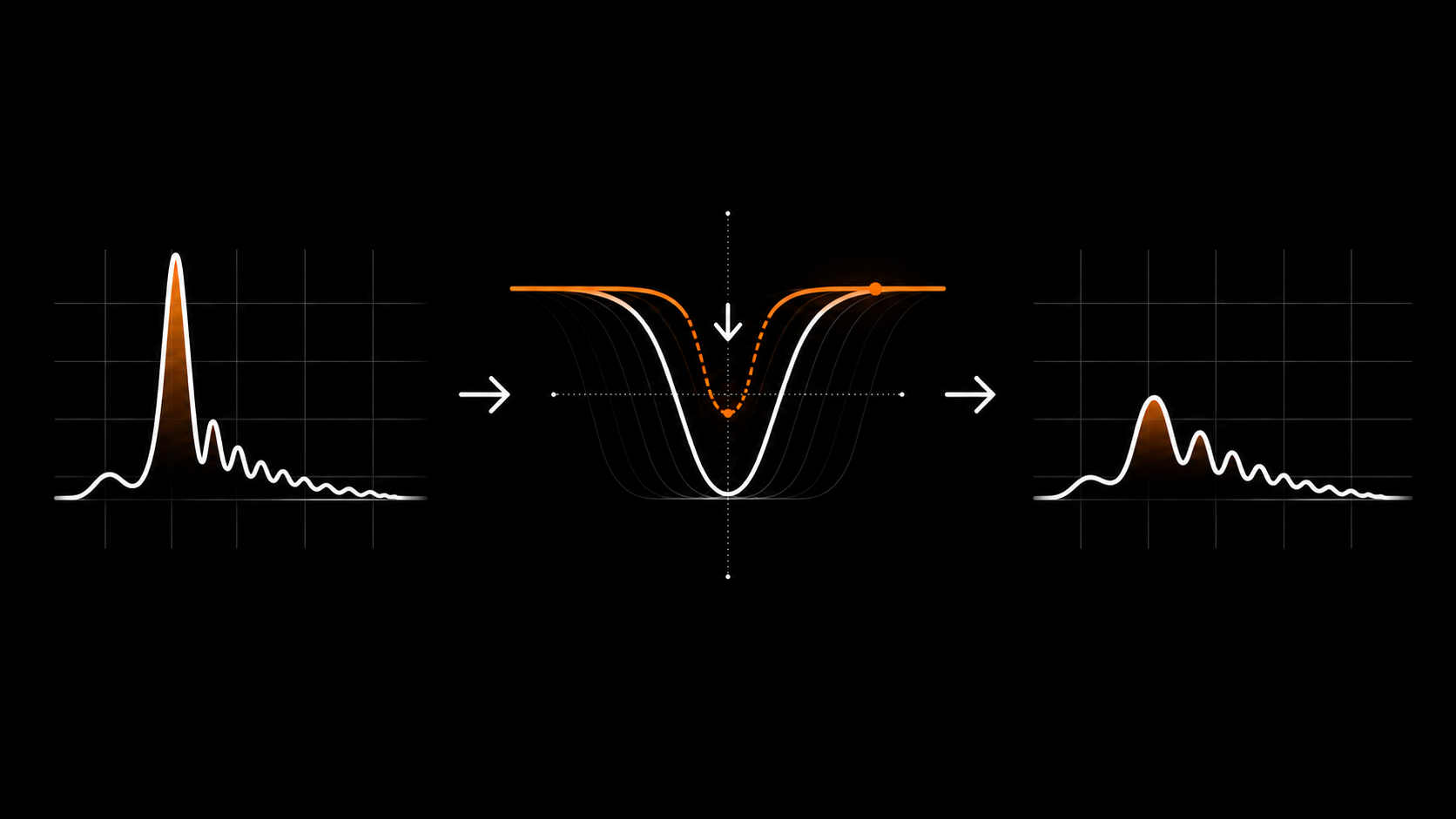
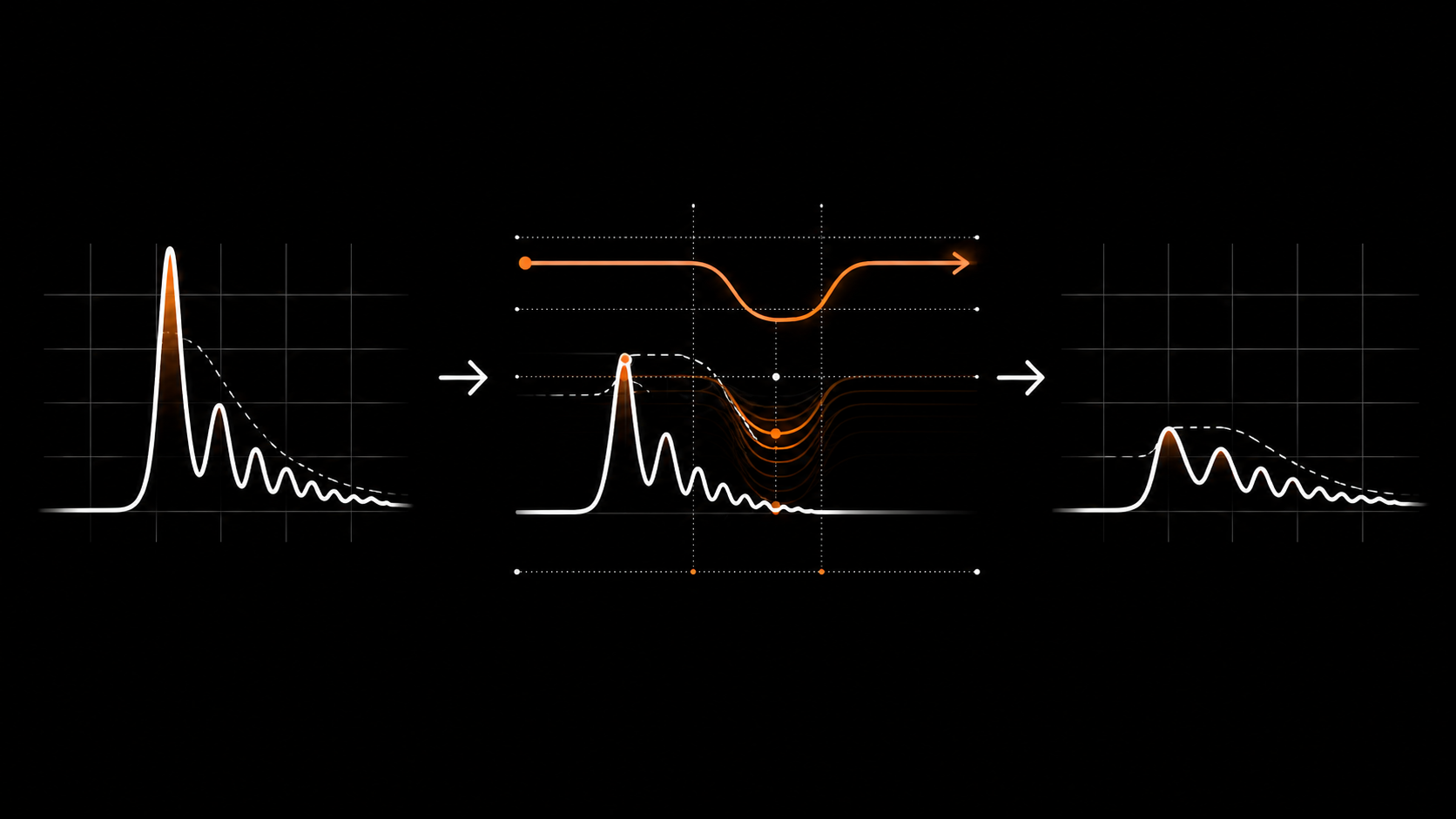
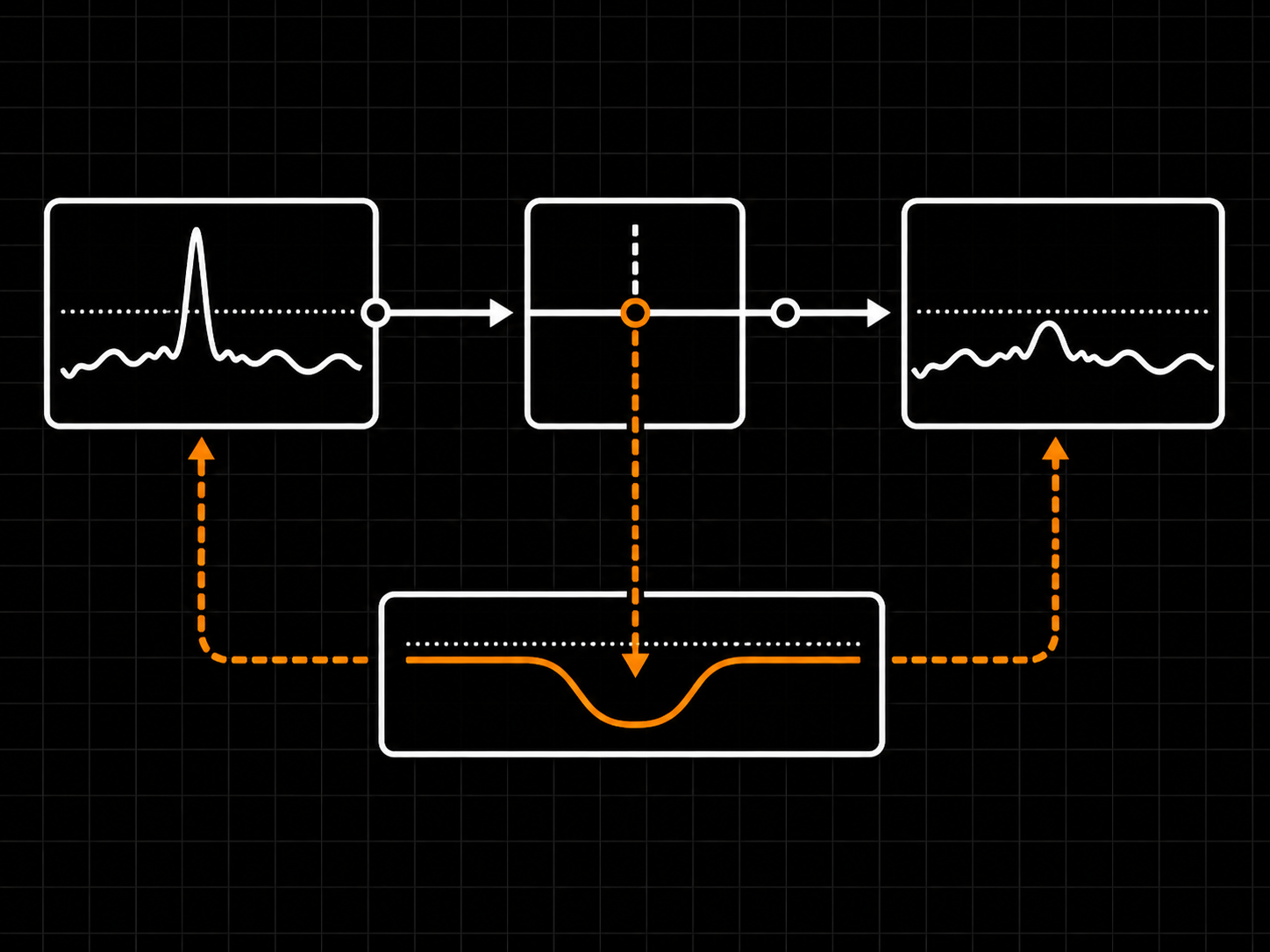
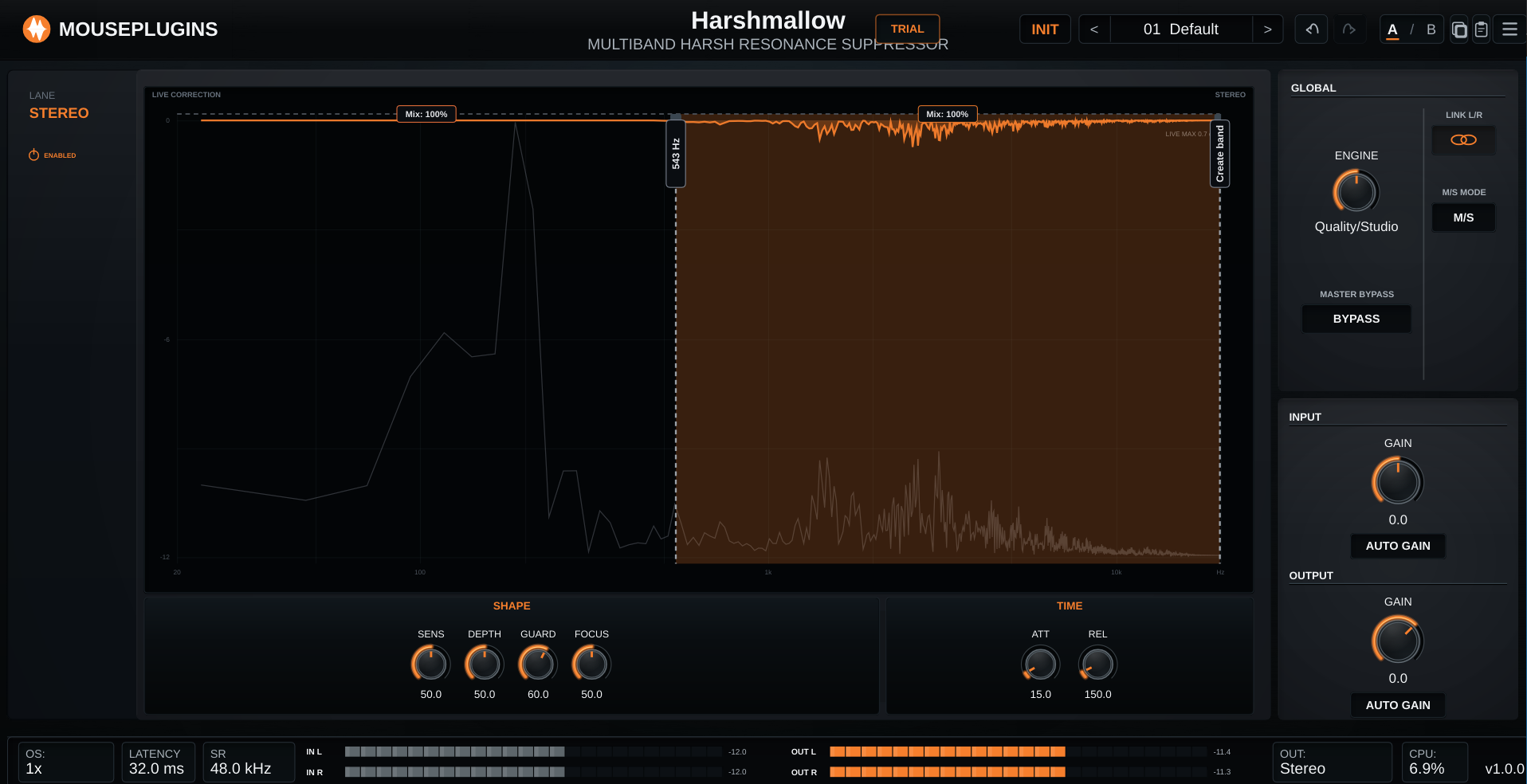
Adaptive de-harshing. Instead of a fixed EQ cut, Harshmallow watches each band and reduces a resonance only while it crosses the band's sensitivity threshold, then releases. SENS sets when it reacts and DEPTH sets how far it can pull a peak down. The live correction trace along the top of the chart shows exactly how much each frequency is being reduced right now, with a LIVE MAX readout of the deepest current reduction.

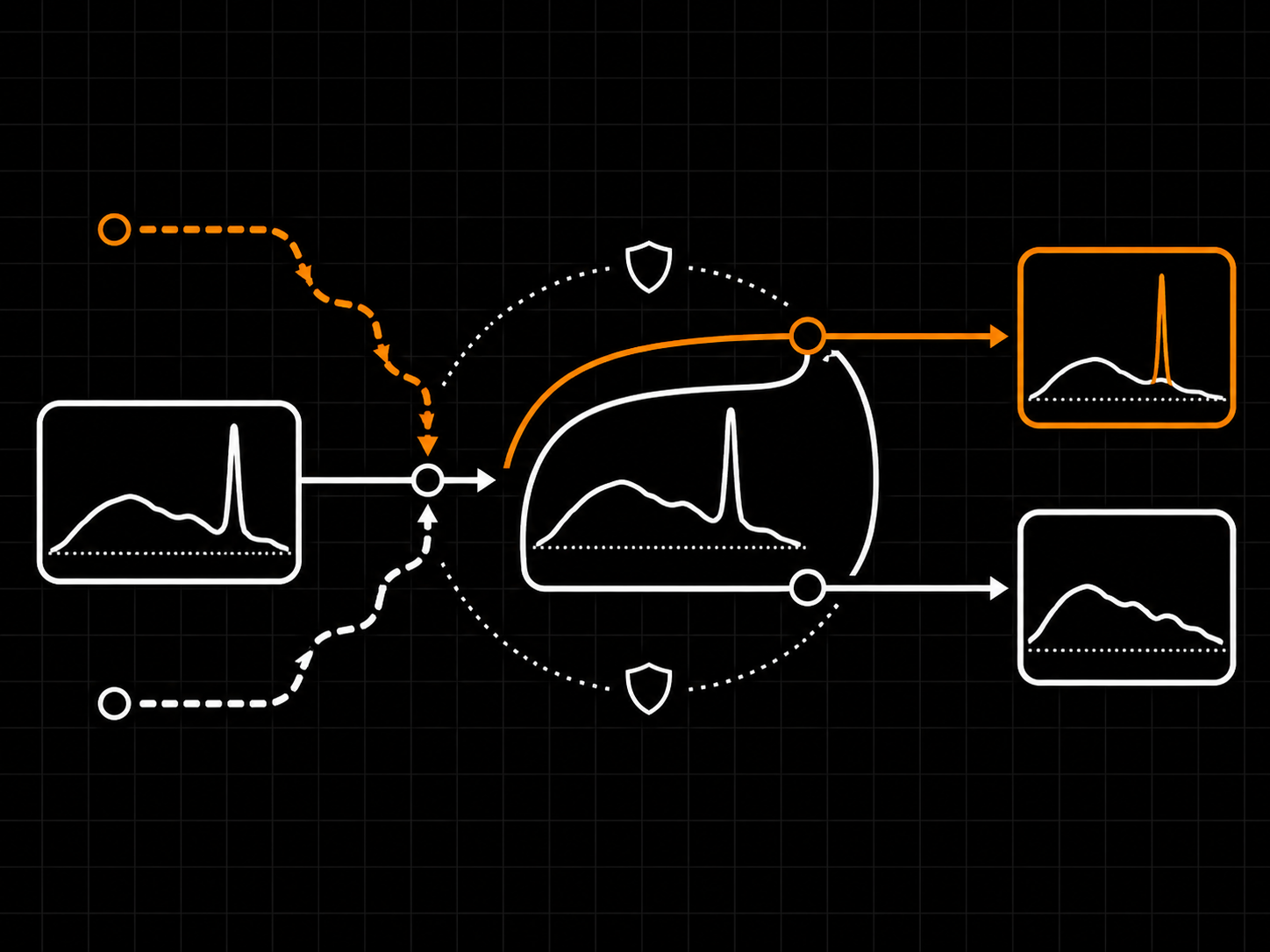
Shape it to the source. Character Guard protects the source's natural tone from over-processing - raise it when the sound starts to lose its life. Sharpness Focus sets how narrowly each band targets the offending peak: high for a single piercing tone, low for broad, general glare. Attack and Release tune the timing per band - short for sibilance and transient spikes, longer for sustained glare on a bus.

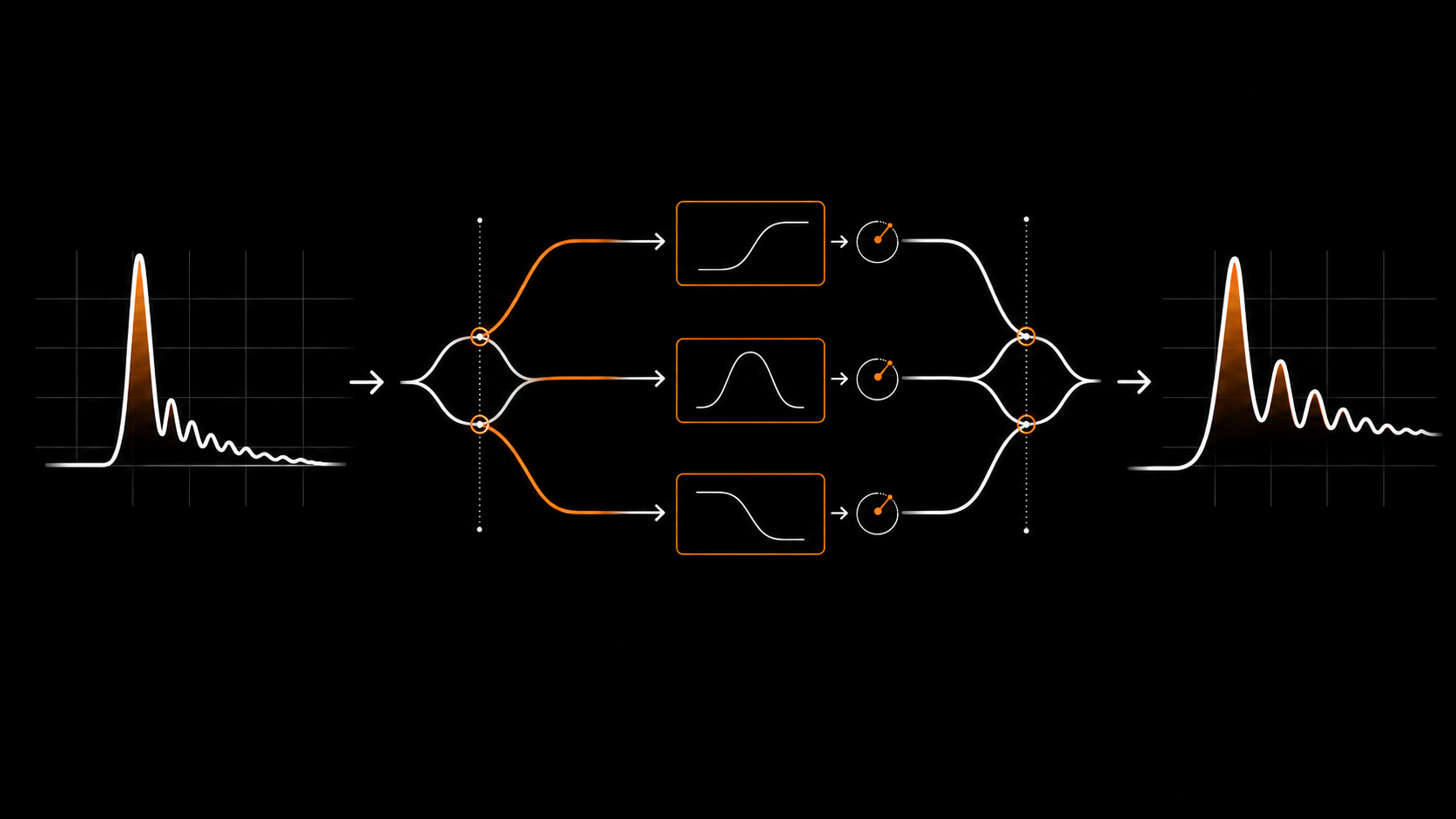
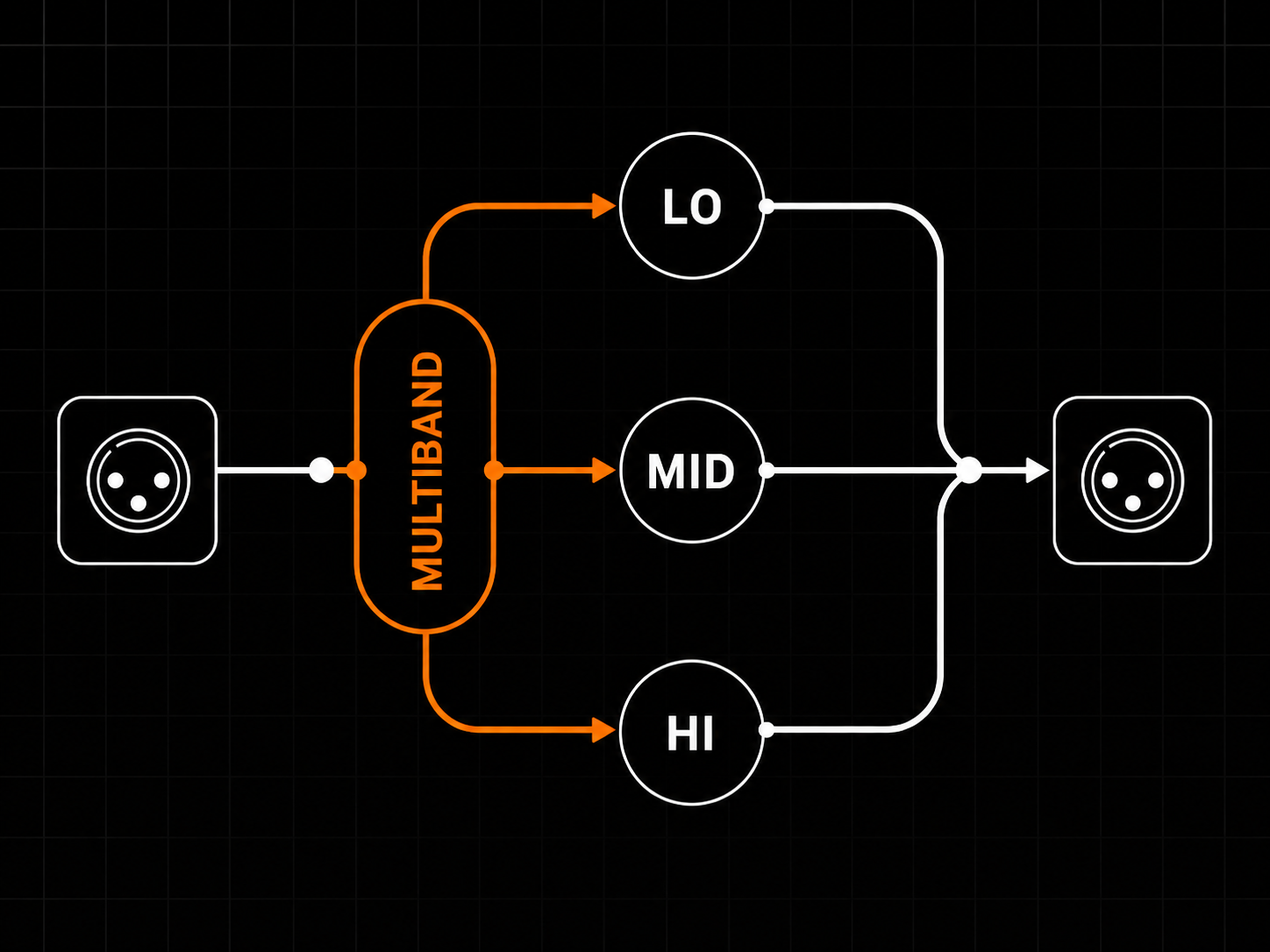
True multiband. Each lane splits into LO, MID, and HI with two draggable crossover handles and a per-band Mix marker. Out of the box both crossovers sit at the chart edges, so the lane is a single full-range de-harsher; drag a crossover inward to bring a band into play. A band at 0 % Mix applies no reduction and skips its de-harshing stage entirely, which keeps CPU down.

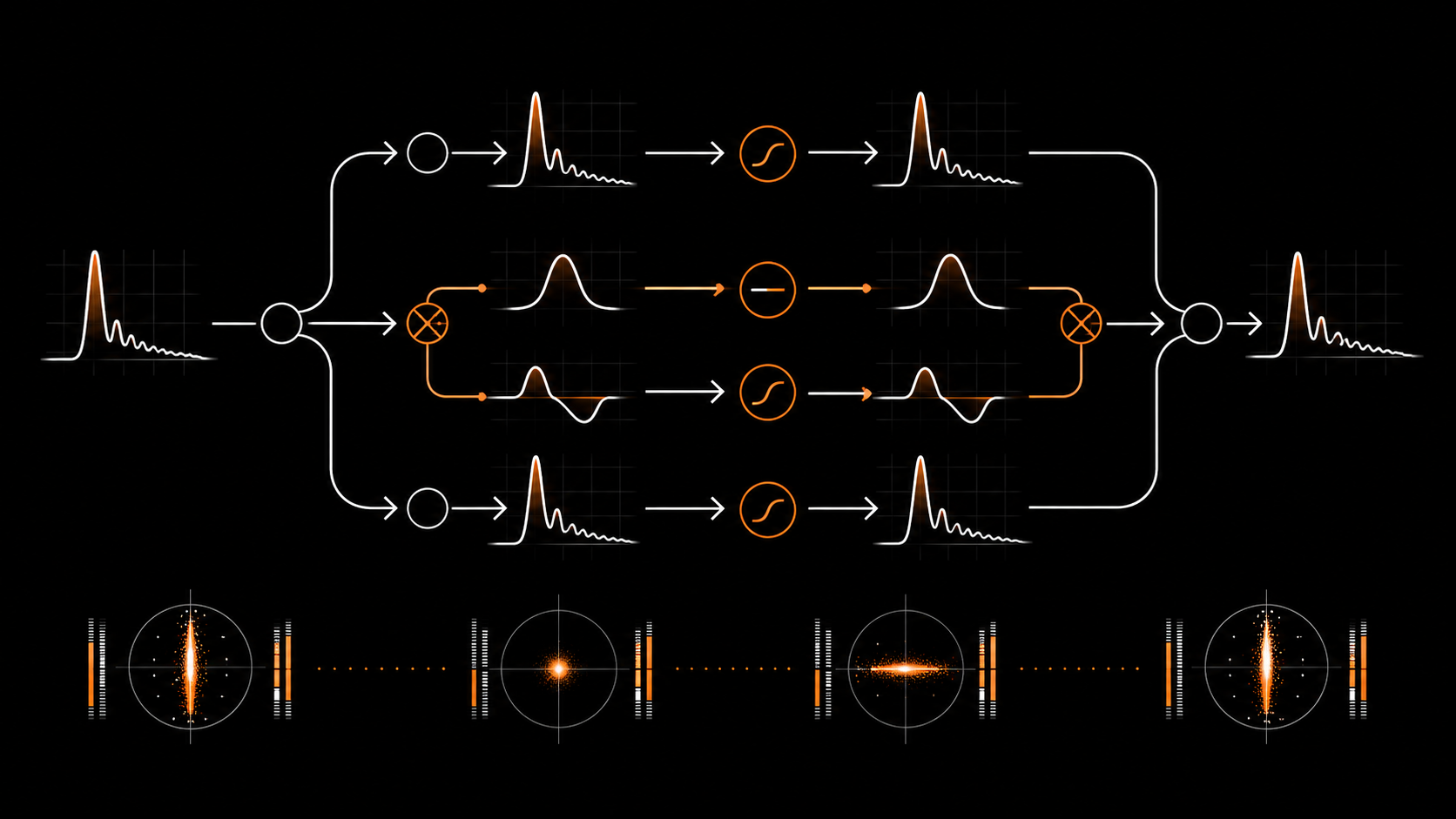
Stereo and Mid/Side. Work in linked Stereo, independent Left/Right, or Mid/Side. Calm the stereo edges while the centre stays put, or treat one side harder than the other. Each lane is colour-coded and each band carries its own tint, so you always know which band the controls are writing to.

Attenuation-only de-harshing, by design. The de-harshing path is attenuation-only: its correction can only ever dip below the 0 dB line, so it pulls detected peaks down and never boosts them. The separate input and output gain controls remain available for level matching.

Three engine modes. Live for low-latency tracking, Quality/Studio for everyday mixing, and Deep for a higher-resolution mastering-context pass. Each mode reports a fixed latency to the host, increasing from Live to Quality/Studio to Deep.

Local and private. Harshmallow processes audio locally. Activation is local too: the key is verified on your machine, with no phone-home or usage tracking - internet is only needed to download or purchase. A single licence key, tied to your email rather than a dongle, unlocks VST3, CLAP, and Standalone on the machines you own. A free demo runs the full plugin with a short periodic interruption so you can try it first.

  • Adaptive, not static
  • Three bands per lane
  • Stereo & Mid/Side
  • Helps preserve character
  • Attenuation-only de-harshing
  • Three engine modes
Lifetime bundles
Get Harshmallow in a lifetime bundle.

All current and future plugins in that bundle. Updates included for life. Prices rise as more plugins are added.

Learn more
Harshness, tamed by the moment.

Adaptive multiband de-harsher. Pulls down harsh upper-mid and treble energy only while it flares, then lets go - attenuation-only, Stereo or Mid/Side. VST3 + CLAP + Standalone, Linux + Windows.

Harshmallow UI
Adaptive, not static

SENS sets when it reacts, DEPTH how far it pulls a peak down. The live trace shows the correction in real time.

Three bands per lane

LO, MID, HI with draggable crossovers and a per-band Mix marker - treat sibilance, cymbal glare, and body separately.

Stereo & Mid/Side

Linked, independent L/R, or M/S - calm the stereo edges while the centre stays put.

01
ADAPTIVE, NOT STATIC

It only acts while it's harsh

Harshmallow watches each band and reduces a resonance only while the band flares, then releases - so the source keeps its life. SENS sets when it reacts; DEPTH sets how far it can pull a peak down. The live correction trace along the top of the chart shows exactly how much each frequency is being reduced right now. It is attenuation-only: the trace only ever dips downward, never up.

  • SENS 0-100 % sets when a band reacts
  • DEPTH 0-100 % sets the maximum reduction
  • Live correction trace with a LIVE MAX dB readout
  • De-harshing path is attenuation-only - reduces, never boosts
It only acts while it's harsh
02
CHARACTER GUARD + SHARPNESS FOCUS

Protect the tone, target the peak

Character Guard holds back the correction where it would start to dull or flatten the source, so the reduction stays musical - raise it when a source begins to lose its life. Sharpness Focus sets how narrowly each band targets the offending peak: high Focus concentrates on a single piercing tone, low Focus spreads the action across broad, general glare.

  • GUARD 0-100 % protects the source's natural tone
  • FOCUS 0-100 % - narrow targeting vs broad action
  • Per band, so each split is shaped independently
  • Defaults tuned to keep the source intact
Protect the tone, target the peak
03
PER-BAND TIMING

Attack and release, tuned by band

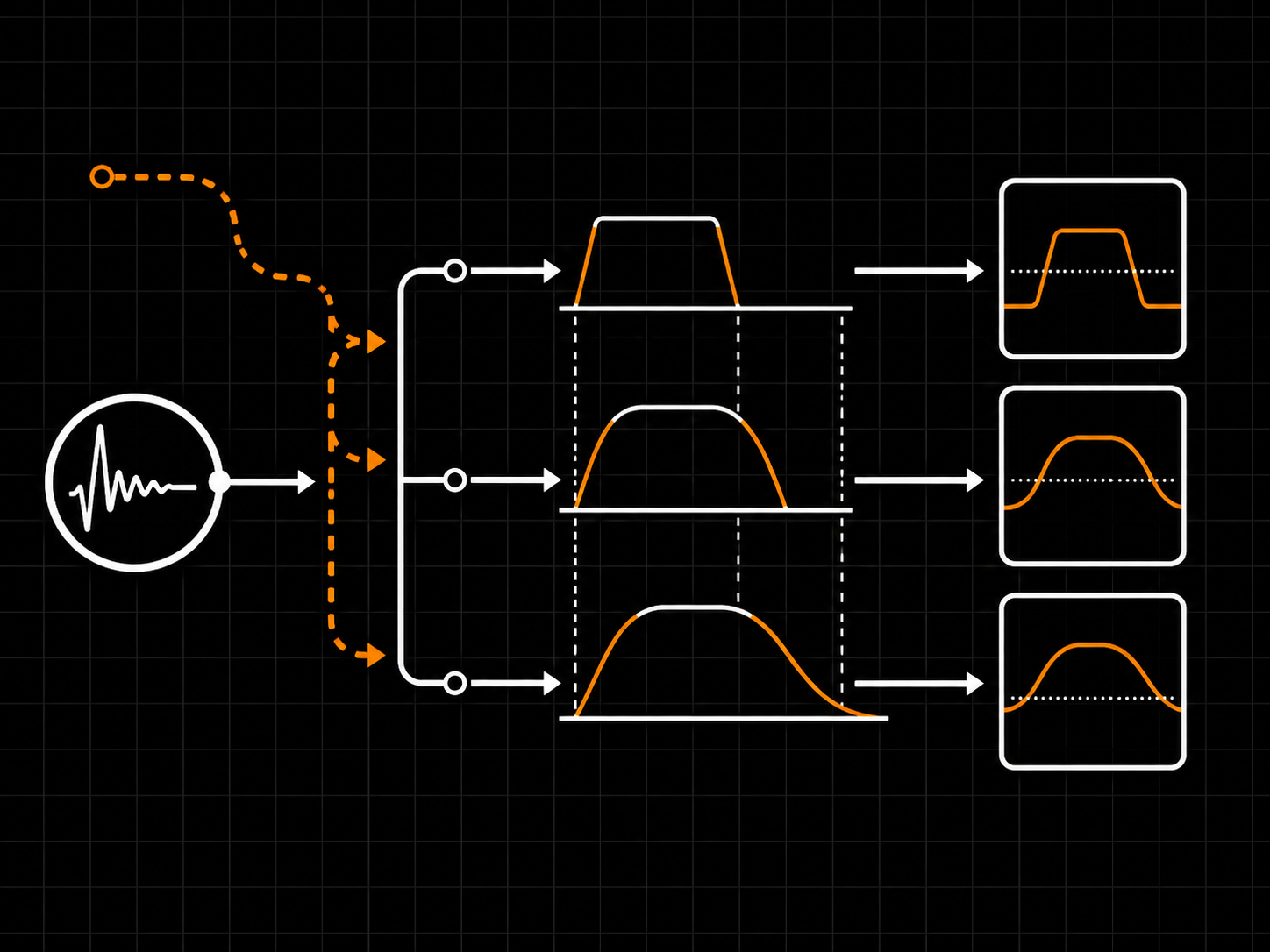
Each band has its own Attack and Release. Short attack catches fast, transient harshness - sibilance, cymbal spikes - the instant it happens; longer attack lets brief transients through and only reacts to sustained harshness. Release sets how quickly the band lets go: short for fast, clean recovery on busy material, longer for a smoother, steadier result across a phrase.

  • ATT 1-250 ms per band
  • REL 10-2000 ms per band
  • Short times for sibilance, longer for sustained glare
  • Defaults of 15 ms / 150 ms suit most material
Attack and release, tuned by band
04
TRUE MULTIBAND

Three bands per lane

Each lane splits into LO, MID, and HI with two draggable crossover handles and a per-band Mix marker. Treat sibilance, cymbal glare, and the body of a sound separately. The crossover pills read 'Create band' at the chart edges - drag one inward to bring a band into play. A band at 0 % Mix applies no reduction and skips its de-harshing stage. Out of the box both crossovers sit at the edges, so the lane is a single full-range de-harsher until you split it.

  • LO / MID / HI bands with draggable crossovers
  • Per-band Mix marker - 0 % applies no reduction to that band
  • 'Create band' pills make splitting obvious
  • Collapses to one full-range band by default
Three bands per lane
05
STEREO, MID/SIDE + ENGINE

Routing and resolution, your call

Work in linked Stereo, independent Left/Right, or Mid/Side - calm the stereo edges while the centre stays put, or treat one side harder than the other. Each lane is colour-coded so you always know what you are touching. Three engine modes - Live, Quality/Studio, and Deep - trade latency for resolution, from tracking through to a mastering-context pass.

  • Linked Stereo, Independent L/R, Linked / Independent M/S
  • Colour-coded lanes and per-band tints
  • Engine: Live, Quality/Studio (default), Deep
  • Input/Output gain with optional Auto Gain
Routing and resolution, your call
Overview
Plugin type Adaptive multiband de-harsher (spectral resonance control)
Bands Three per lane (LO / MID / HI) with two draggable crossovers
Lanes & routing Linked Stereo, Independent L/R, Linked M/S, Independent M/S
Processing De-harshing path is attenuation-only - reduces detected peaks, never boosts (input/output gain available for level matching)
Engine modes Live, Quality/Studio (default), Deep
Reported latency Fixed per engine mode, reported to the host (no zero-latency mode)
Processing
Signal path Input gain -> multiband split -> per-band adaptive de-harsh -> per-band Mix -> recombine -> output gain
Detection Per-band, adaptive - acts on a resonance only while it crosses the band's sensitivity threshold, then releases
Crossovers Two per lane, 20 Hz to 20 kHz, kept at least a half-octave apart; smooth blend between bands
Per-band Mix 0-100 % per band per lane; 0 % applies no reduction and skips that band's de-harshing stage
Stereo handling L/R or Mid/Side, linked or independent; mono sources handled automatically
Dry/wet No global dry/wet - per-band Mix controls how much each band applies (always 100 % wet overall)
Bypass Master bypass passes the dry input for an honest A/B; auto-gain is skipped on bypass
Controls
SENS (Sensitivity) 0-100 %, default 50 - when a band reacts
DEPTH 0-100 %, default 50 - maximum reduction
GUARD (Character Guard) 0-100 %, default 60 - protects the source's tone
FOCUS (Sharpness Focus) 0-100 %, default 50 - narrow vs broad targeting
ATT (Attack) 1-250 ms, default 15
REL (Release) 10-2000 ms, default 150
Per-band Mix 0-100 %, default 100, per band per lane
Crossovers Two draggable handles per lane with frequency pills
INPUT GAIN -24 to +24 dB, with optional Input Auto Gain
OUTPUT GAIN -24 to +12 dB, with optional Output Auto Gain
ENGINE Live / Quality/Studio / Deep
Editing Init, preset selector, A/B compare, copy/paste, undo/redo
Formats
VST3 Windows and Linux
CLAP Windows and Linux
Standalone Windows and Linux
macOS Not at the initial release
Architectures 64-bit x86
System Compatibility
Operating system Windows 10/11 64-bit, Linux glibc 2.35+ (Ubuntu 22.04+, Debian 12+, Mint 21+, Fedora 36+, Arch)
Host requirements A 64-bit host that supports VST3 or CLAP
Sample rates 44.1 kHz to 192 kHz
Channels Stereo in / stereo out; mono sources handled automatically
MIDI Not used
RAM minimum 4 GB
RAM recommended 8 GB or more
Disk space 50 MB
Internet Only needed to download or purchase - activation and use are local
Licensing
Price EUR 59 - perpetual licence
Activation Local - the key is verified on your machine, with no phone-home or usage tracking; internet is only needed to download or purchase
Machine count Use it on your own machines; the licence is tied to your email, not a dongle
Formats covered One licence unlocks VST3, CLAP, and Standalone
Telemetry None - the plugin does not track usage or phone home
Demo Free demo - fully functional with a 2 s silence interruption every 60 s
Updates All future 1.x updates included
Installation
Windows VST3 C:\Program Files\Common Files\VST3\Harshmallow.vst3
Windows CLAP C:\Program Files\Common Files\CLAP\Harshmallow.clap
Linux VST3 ~/.vst3/Harshmallow.vst3
Linux CLAP ~/.clap/Harshmallow.clap
Standalone Run Harshmallow from the extracted folder
Harshmallow is an adaptive multiband de-harsher. It watches each band and pulls down harsh upper-mid and treble resonances only while they flare, then releases - so the source keeps its character. It is not a static EQ cut: it reacts and lets go, tuned by ear with four SHAPE controls and two TIME controls per band, across Stereo, independent L/R, or Mid/Side.
Compared with a typical de-esser, Harshmallow is not tied to one fixed sibilance region. Compared with a general dynamic EQ, it is purpose-built as an attenuation-only de-harshing tool, with multiband lanes, Stereo/L/R/M/S routing, Guard/Focus shaping, per-band timing, and a live correction trace showing the reduction.
The de-harshing path is attenuation-only: it pulls detected peaks down and never boosts them. Input gain, output gain, and Auto Gain are separate level-matching tools, independent of the correction path.
On any track or bus where harshness builds up - vocals, drum overheads, guitars, or a full mix. Place it after a de-esser when the de-esser only catches part of the problem, or on a group/mix bus for general glare. It is stereo in / stereo out and handles mono sources automatically.
SENS (Sensitivity) sets when a band reacts; DEPTH sets the maximum reduction; GUARD (Character Guard) protects the source's natural tone from over-processing; FOCUS (Sharpness Focus) sets how narrowly the band targets the peak - high for a single piercing tone, low for broad glare. They are per band, so each split is shaped independently.
They are the per-band timing. ATT (Attack, 1-250 ms) sets how fast the reduction engages once a resonance appears. Short ATT catches sibilance and transient spikes quickly; longer ATT lets more brief transient energy through before the reduction fully engages. REL (Release, 10-2000 ms) sets how fast the band lets go - short for transparent recovery on busy material, longer for a smoother result across a phrase.
Each lane splits into LO, MID, and HI with two draggable crossovers and a per-band Mix marker. Out of the box both crossovers sit at the chart edges, so the lane is a single full-range de-harsher; drag a crossover inward (the pill reads 'Create band') to bring a band into play. The half-octave minimum keeps the bands ordered LO < MID < HI.
Each band has its own Mix marker. It scales how much of that band's correction is applied - 100 % is the band's full de-harshing, 0 % applies no reduction and skips that band's de-harshing stage entirely (which also keeps CPU down). Mix is set per band and per lane.
Linked Stereo (the default) treats left and right together in one lane. Independent L/R splits into separate LEFT and RIGHT lanes; Mid/Side splits into MID and SIDE. In the independent modes each lane has its own crossover positions and per-band Mix, while the per-band SHAPE/TIME are shared across the two lanes so the sides stay tonally matched.
Turn LINK L/R off and engage M/S so you have MID and SIDE lanes. Dial the SHAPE/TIME you want, then bypass the MID lane (its power button) or set its band Mix to 0 % so only the SIDE lane applies the correction. Because SHAPE/TIME are shared per band across lanes, gating the MID lane is what keeps the centre clean.
Live for low-latency tracking, Quality/Studio for everyday mixing (the default), and Deep for a higher-resolution mastering-context pass. Each mode reports a fixed latency to the host, increasing from Live to Quality/Studio to Deep - there is no zero-latency mode.
Harshmallow uses per-band Mix markers instead, so you control how much correction each band applies without blurring the whole plugin into one global wet/dry compromise. There is no global dry/wet knob: the main signal stays in the normal processing path, while each band's Mix controls how much of that band's correction is applied.
Leave LINK L/R on, loop the harshest phrase, and raise SENS until the edge tucks in. Add DEPTH only if the reduction is too light, and raise GUARD if the source starts to lose character. Match levels with the OUTPUT gain (or Output Auto Gain) and bypass to confirm you are judging tone, not loudness.
Drag the upper crossover so the HI band starts above the source's body, then set the LO and MID Mix to 0 % so only the HI band acts. Raise SENS and FOCUS on the HI band to concentrate the reduction on the sharp top.
The full plugin state is saved inside your host project and recalled with it. There is a Default factory preset and an INIT button that resets every control in one undoable step. A/B holds two complete settings to compare, and Copy/Paste moves a setting between instances through the clipboard.
VST3, CLAP, and Standalone for Windows 10/11 64-bit and Linux (glibc 2.35+: Ubuntu 22.04+, Debian 12+, Mint 21+, Fedora 36+, Arch). 64-bit x86. macOS is not part of the initial release. Harshmallow does not use MIDI.
VST3 goes to C:\Program Files\Common Files\VST3\ on Windows or ~/.vst3/ on Linux; CLAP to C:\Program Files\Common Files\CLAP\ or ~/.clap/. The Standalone runs from the extracted folder. One licence unlocks all three formats.
Harshmallow runs from 44.1 kHz up to 192 kHz. The reported latency depends on the active engine mode and is reported to compatible hosts for delay compensation.
Activation is local: your key is verified on your machine, with no phone-home and no usage tracking - internet is only needed to download or purchase. The licence is tied to your email rather than a single machine, so you can use it on the machines you own. One licence unlocks VST3, CLAP, and Standalone.
The demo runs the full plugin with a 2-second silence interruption every 60 seconds. The trial chip in the header pulses red so you know what happened. Activating with a valid key removes the interruption immediately, from the first audio block.
Yes. The licence is tied to your email, not a dongle or a single machine, so you can activate on the machines you own. If you reinstall or move to a new machine, paste the same key again.
Check MASTER BYPASS and the lane power button, and confirm the band you expect to work has SENS, DEPTH, and Mix above 0 %. If you are working on the LO or HI band, make sure its crossover has been dragged inward so the band actually has width. Also make sure the source is crossing the sensitivity threshold.
Lower SENS or DEPTH, or raise GUARD to protect more of the source's character. Raise FOCUS if you want the reduction to concentrate more narrowly on the harsh peak and leave surrounding frequencies alone.
Lengthen REL so the band recovers more smoothly, or lower SENS so it triggers less often. If it is missing fast spikes, shorten ATT so it engages sooner.
A brief interruption can happen when changing engine mode because the reported latency changes and the host may need to re-sync. Pick the mode before a critical pass rather than automating it during playback; stop and restart playback if your host does not handle the latency change cleanly.
What's Included
Harshmallow box
  • Harshmallow Plugin
  • Quick Start
  • Full User Manual
  • Factory presets
Supported Formats
CLAPVST3
System Requirements
Windows: 10 or later
Linux x64: glibc 2.35+
  • Ubuntu 22.04+
  • Debian 12+
  • Linux Mint 21+
  • Fedora 36+
  • Arch / Manjaro / EndeavourOS / Garuda
  • openSUSE Tumbleweed
  • Pop!_OS 22.04+
CPU: Any 64-bit x86
Host: A 64-bit host that supports VST3 or CLAP
Free updates Included for Harshmallow 1.x
Secure payments Stripe, PayPal, wallets, Klarna when eligible
Human support Real replies when something breaks

Pairs well with

Beta program

Break our plugins for fun

Test pre-release builds and help shape what ships next.

Join the beta →
What testers get
  • Private pre-release builds when a beta is active.
  • A direct path to report DAW, install, licensing, and sound issues.
  • Early influence on compatibility priorities and release readiness.
  • Provide suggestions on future development and roadmap.
  • Request specific plugins.
Cart
Cart empty
Browse Plugins