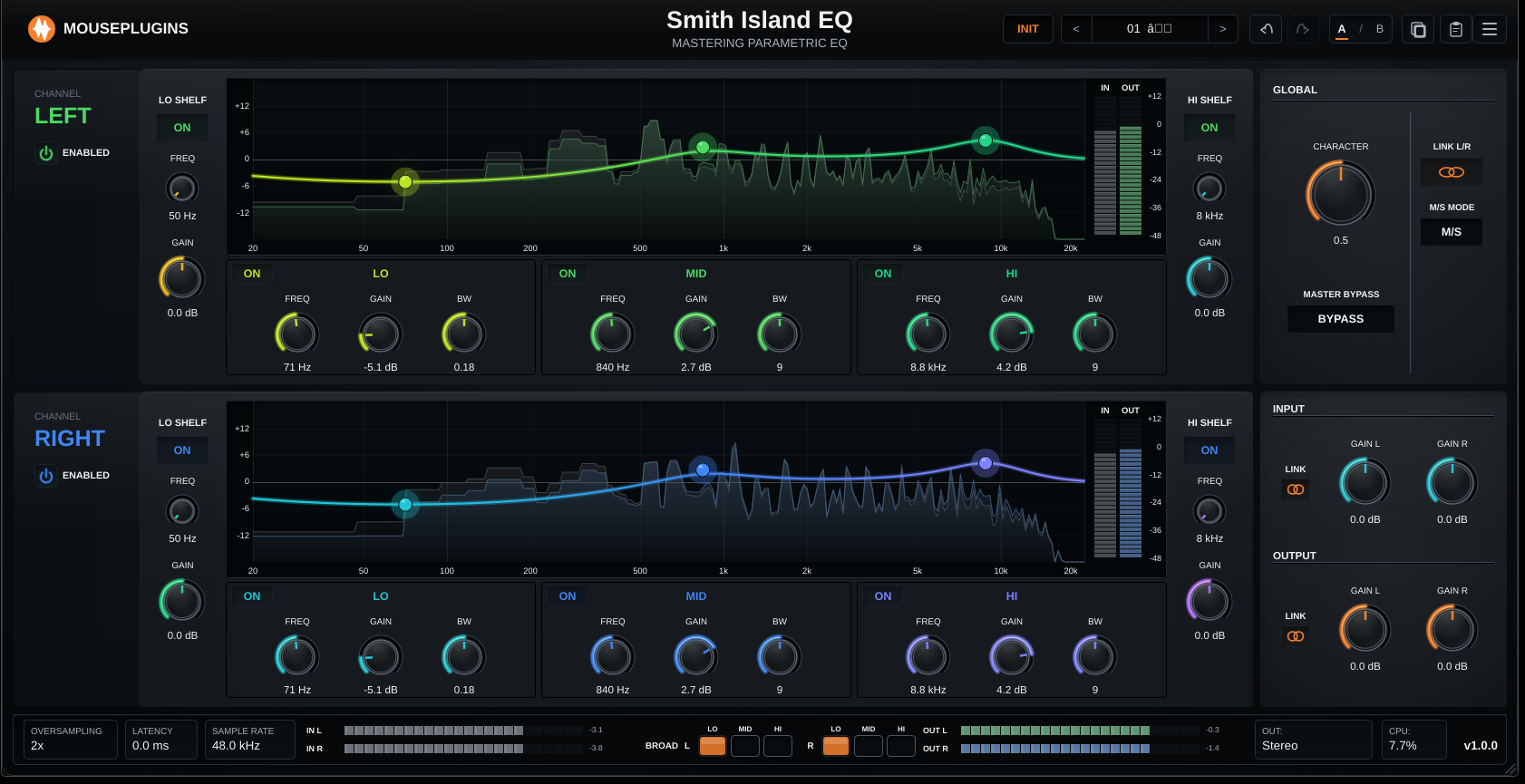
Smith Island EQ
Overview
Smith Island EQ v1.1.0 improves the linked Stereo workflow and makes the plugin easier to use on smaller Windows displays.
Stereo workflow
* Link L/R and Link M/S now show a single Stereo lane instead of two duplicate lanes. * The EQ graph expands across the full channel area when Stereo is linked, giving more room for detailed adjustments. * The active lane is clearly labelled STEREO. * Input and Output gain are shown as one centered control in linked Stereo mode. * The BROAD controls in the footer are simplified to one shared LO / MID / HI set in linked Stereo mode.
Auto gain
* Input Auto Gain can now stage incoming audio to 0 VU / -18 dBFS before the EQ lanes. * Output Auto Gain can now stage the final stereo output to 0 VU / -18 dBFS after the EQ lanes are summed back together. * Auto Gain is fixed at 0 VU / -18 dBFS in v1.1.0. * Auto Gain controls are available in Stereo, L/R, and M/S workflows for both Input and Output. * When Auto Gain is enabled for Input or Output, the matching manual gain knob is hidden so the section has one clear gain mode.
Visual improvements
* Linked Stereo mode now uses a warmer, clearer colour flow across the EQ curve. * Output meters and the spectrum display now match the linked Stereo colour, making it easier to read the whole Stereo view at a glance. * The linked Stereo view removes redundant right-lane controls so the screen feels cleaner and less cramped. * Independent L/R now paints GAIN L green and GAIN R blue so the two channels are unambiguous at a glance. * Mid / Side mode has its own colour identity: MID gets a magenta sweep across its strip, SIDE gets a red sweep. Chart curves, output meters and BROAD footer buttons follow the same tinting. * BROAD buttons in the footer now mirror each band's strip accent in every mode, so the row reads as Lo / Mid / Hi at a glance.
Preset browser
* Double-click a preset in the browser to load it directly — no more second click on LOAD. * Loading a preset no longer flips your stereo mode. Link L/R and M/S MODE stay where you left them; presets only carry the EQ recipe.
Support panel
* The Support / Diagnostics panel has been redesigned with clear cards for About, System, Licence and Privacy, a colour-coded Activated status pill, and consistent action buttons including Copy / Save Diagnostics, Contact Support, Reset DSP, Open Config Folder, User Manual and Quick Start. * The panel is now a shared MousePlugins UI component reused across the product line, so the look stays consistent everywhere.
Window size
* On Windows, the plugin now opens at a smaller default size. * The minimum window size has been reduced so Smith Island EQ fits better on laptop and Full HD screens.